
If you show any game programmer some lectures about user interfaces from around 2006, and then show them what they slapped together in a modern game, they'll recognize almost everything, with minor reservations. The API names and the codegen language changed, but the architecture and the core ideas stayed the same: a tree of controls, properties with reflection, links between properties, templates, an abstraction over the engine, and the eternal war for pixel-perfection.
The user interface in games is the place where all the worst architectural requirements meet at once, layered on top of which are the demands of the UI designer who sits across the desk and asks that a window appear "like this, with an animation", where "like this" depends on whether he's had his cup of coffee yet or not. In the evening the artist comes by, having drawn a button in Photoshop and wanting it to look pixel-perfect on screen, and you're obliged to honor these demands, because in this decision-making chain the artist stands closer to the final picture. And then there's the gameplay programmer, who doesn't want to know what a specific label is called, and shouldn't have to.
Toward the end comes the localizer, who turned "1 enemy / 2 enemies" into "1 враг / 2 врага / 5 врагов" with its dependence on grammatical gender. Sometimes the porting engineer drops in, who needs to spin that same window on PC, consoles, or mobile with different resolutions and aspect ratios — well, never mind him, he's his own programmer and will write the code himself if he has to. And all these requirements somehow have to live together.
Most studios started by writing the GUI system "in place", i.e. for a specific game, for a specific renderer, with a hardcoded layout, and when the next game came out, it turned out that pulling the old GUI out was nearly impossible. Such a UI fuses completely with the renderer, input, sound, and game logic, and every next project starts with the phrase "let's do it properly this once", and every next iteration showed that "properly" is not one task but many, all at the same time.
Stay tuned — there will be a second part about how this very UI was tormented from game to game...
The foundation
The classic (which doesn't mean the only one) structure of a user interface is almost everywhere the same and looks like a tree of nodes, where each node is either a container with children or a leaf (final) control (a button, a label, an image) — which is the classic Composite pattern from GoF in its most canonical form.
Window
├── Panel "Header"
│   ├── Label "Title"
│   └── Button "Close"
├── Panel "Content"
│   ├── ListBox "Items"
│   └── ScrollBar
└── Panel "Footer"
    ├── Button "OK"
    └── Button "Cancel"
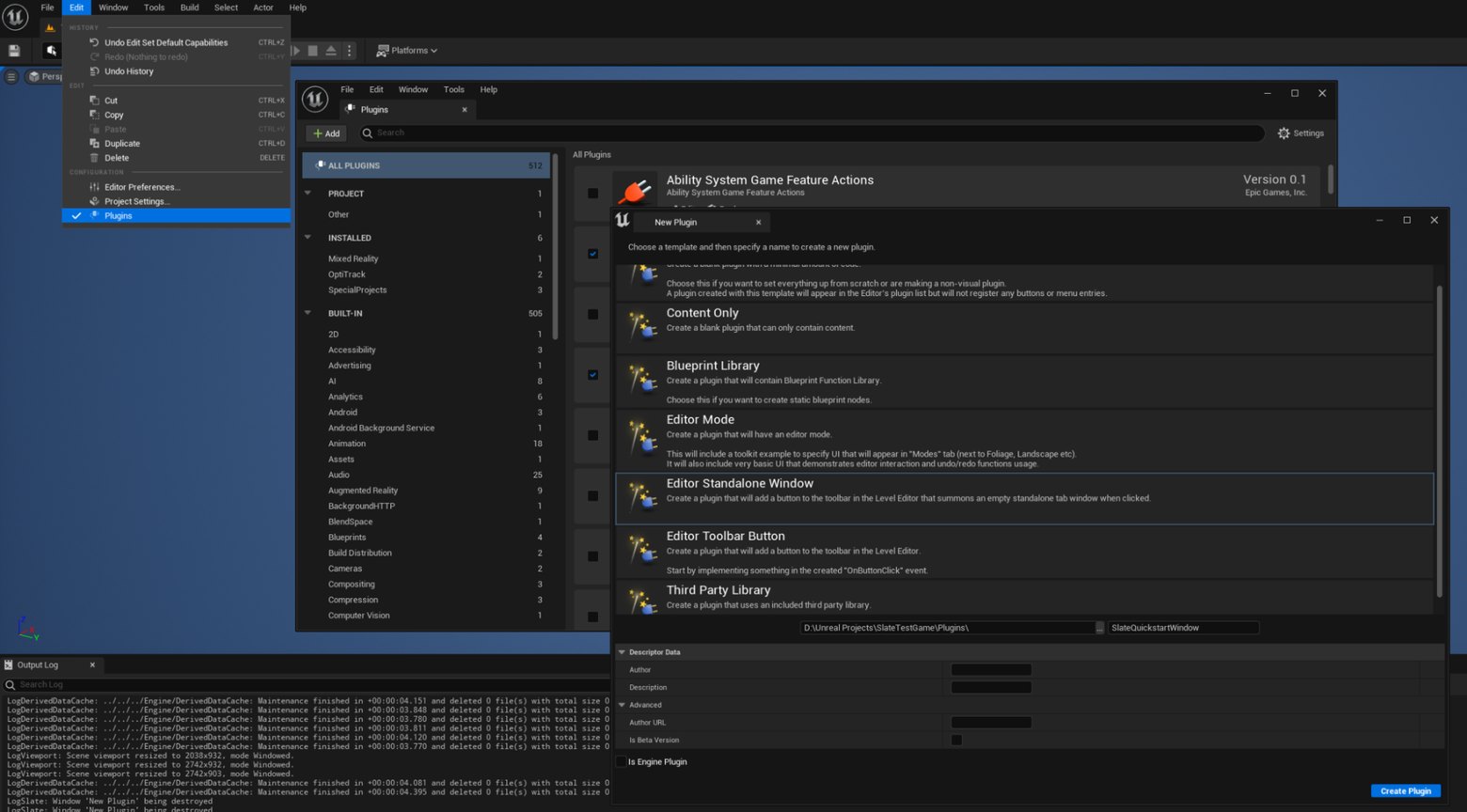
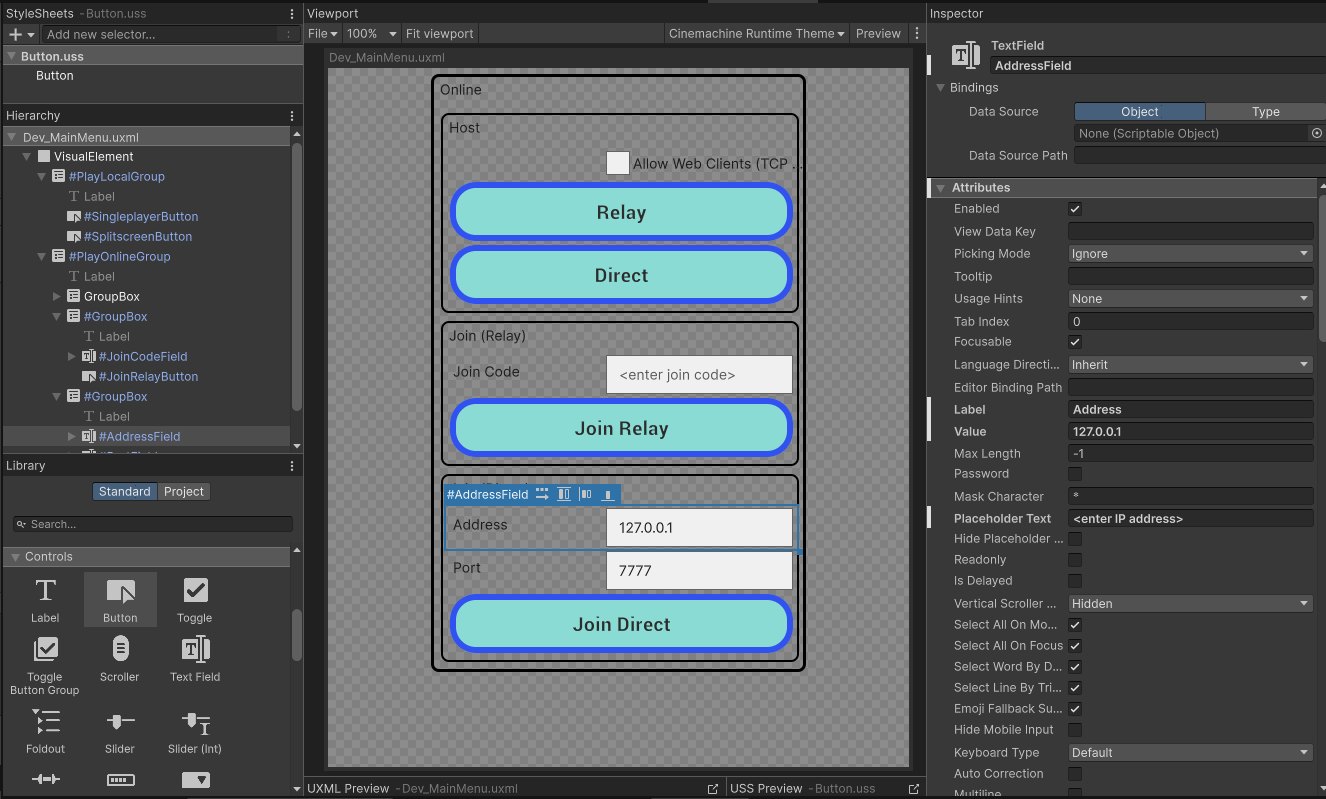
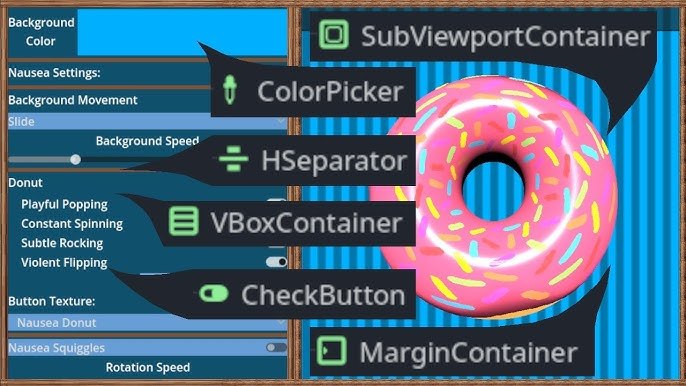
This tree is then traversed for everything: for rendering, for hit testing, for applying effects, for saving, for sending messages. All modern engines are built on top of this same idea, from Slate in Unreal to UGUI and UI Toolkit in Unity, or Control nodes in Godot, and the differences usually begin at the level of "how this tree is created, stored, and edited".
Composite is good in that almost any operation is formulated as a tree traversal. Composite is bad in that a naively implemented traversal can walk the tree ten times per frame and burn the frame budget, which is why real systems cache bounding boxes, mouse hits, visibility, the resulting transform, and the final geometry for rendering.
Properties and reflection
If there's a button on the tree, then it has some parameters like position, size, text, state textures, font, color, and a click handler. If you declare these parameters as ordinary C++ fields, then the GUI editor won't be able to show them without separate hardcoding for each control class, because C++ knows nothing about the names of its own fields.
The solution all engines arrived at looks like this: each control has a list of properties, and each property carries its own name, type, and value. This lets the properties live in an ordinary vector and be accessible by name.
struct Property {
    std::string name;
    PropertyType type;
    variant<int, float, std::string, Color, Texture*> value;
};

class Control {
    vector<Property> properties;

public:
    const Property* find(const std::string& name) const;
    void set(const std::string& name, const Variant& value);
    const std::vector<Property>& list() const;
};
The UI editor receives this list and builds a property panel, where there's a widget of the appropriate type for each property. No manual bindings like "this field we edit with a slider, and this one with a checkbox" are needed — you added a new property in code and it appeared in the editor. This same property table is used by the control itself for all its calculations, so the classic problem of "one thing in the editor, another at runtime" doesn't arise.
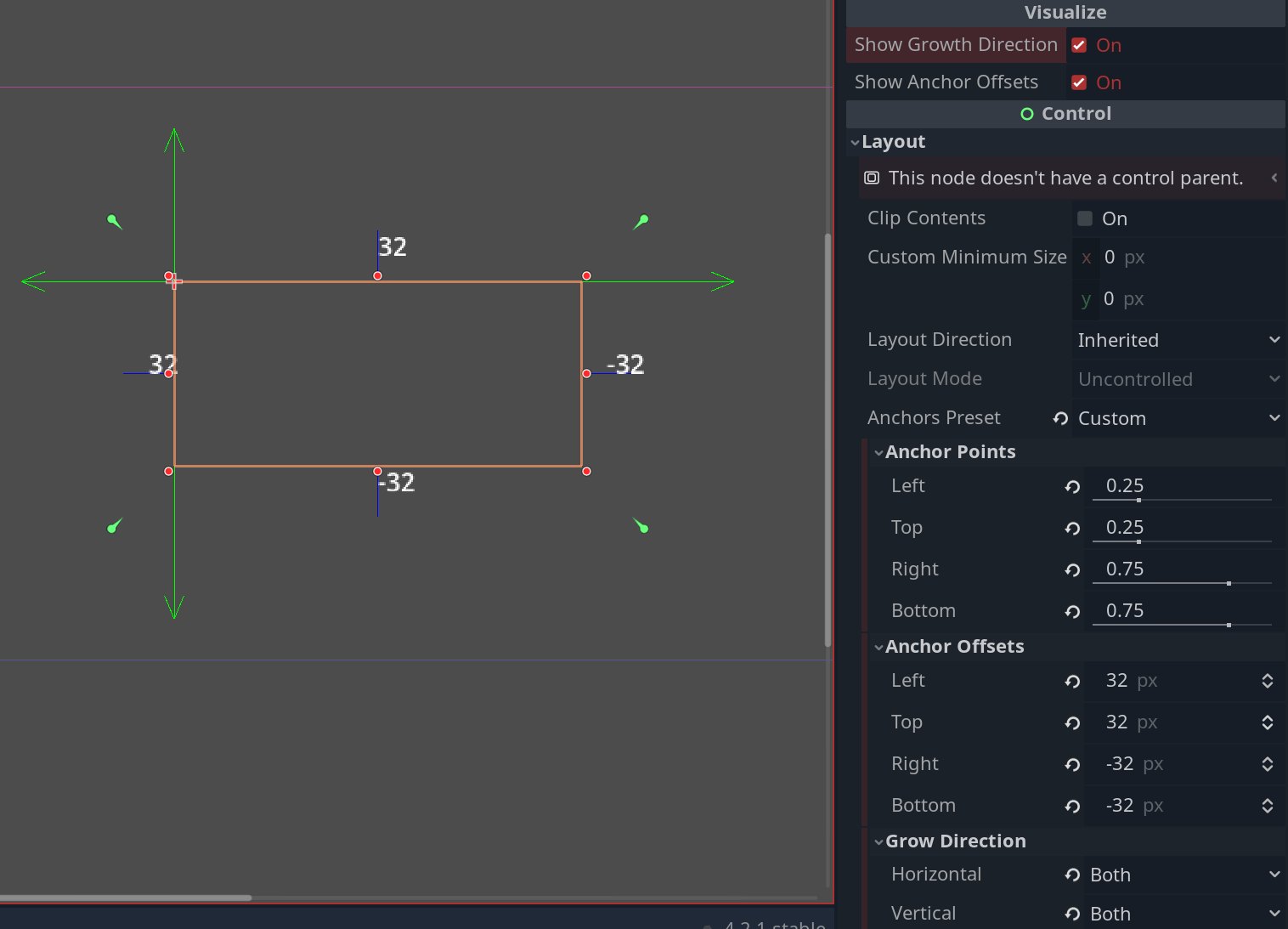
This approach lives under different names in all engines. In Unity it's SerializedProperty on top of the [SerializeField] attribute, in Unreal UPROPERTY(), in Godot @export, in WPF/WPFG DependencyProperty. Everywhere the idea is that each property must be described as data, not as C++/C# code, otherwise neither the editor, nor the serializer, nor the animation will know anything about it.
As a bonus you get nice introspection in debug, where you can dump the state of any control with a single function and see right in the logs what its property values were at the moment of the bug. Anyone who has seen a widget dump in something like Hearthstone, with its guts hanging out, knows what I mean.
{
  "widget_type": "CardRewardPopup",
  "game": "Hearthstone-rt-europe-aw-ttn",
  "version": "1.4.2",
  "state": {
    "visible": true,
    "animation": "goldenReveal",
    "input_locked": false
  },
  "layout": {
    "anchor": "center",
    "width": 1280,
    "height": 720,
    "background": {
      "texture": "ui/rewards/reward_bg_parchment.png",
      "vignette": true,
      "particles": "embers_soft"
    }
  },
  "header": {
    "title": "Victory Reward",
    "font": "BelweBold",
    "color": "#F6D37A",
    "glow": true
  },
  "cards": [
    {
      "entity_id": 77421,
      "card_id": "CORE_EX1_116",
      "name": "Leeroy Jenkins",
      "rarity": "Legendary",
      "mana_cost": 5,
      "golden": true,
      "foil_animation": "legendary_swirl",
      "position": {
        "x": 0.5,
        "y": 0.48
      },
      "rotation": -1.2,
      "scale": 1.15,
      "sound_on_reveal": "sfx_card_legendary_reveal"
    }
  ],
  "buttons": [
    {
      "id": "btn_collect",
      "text": "Collect",
      "style": "hs_primary_blue",
      "hover_sound": "sfx_hover_generic",
      "click_sound": "sfx_confirm"
    },
    {
      "id": "btn_share",
      "text": "Share",
      "style": "hs_secondary_wood"
    }
  ],
  "effects": {
    "camera_shake": {
      "enabled": true,
      "intensity": 0.15
    },
    "screen_particles": {
      "enabled": true,
      "preset": "legendary_fireflies"
    },
    "ambient_audio": "music_pack_opening_soft"
  },
  "telemetry": {
    "session_id": "5fbb2b93-c7e0-4f4c-b3fc-dca2af2fce11",
    "source": "arena_reward_track",
    "fps_capture": 60
  }
}
Property links and decoupling from game code
The classic problem any sloppy GUI runs into is when the game code, in order to update a value on screen, has to know the name of the window and the name of a specific control inside the window.
// Don't do this

FindControl("hud_root")->FindControl("label_armor")->SetCaption(player.armor);
FindControl("hud_root")->FindControl("label_hp")->SetCaption(player.hp);
Any redraw of the window by an artist breaks the game code, renaming a control breaks the game code, replacing a label with a progress bar breaks the game code, because a progress bar has no SetCaption method. This is a typical trap; it even has its own name (the train-wreck code).
Scientifically this is called Feature Envy from Fowler's catalog, when a method of one class knows too much about the internals of another and actively reaches into its data. But when two modules know too much about each other, a change to one inevitably drags a change to the other along with it. Outside of GUI specifics, this is also called a Fragile Class, which is a classic violation of the principle of separating presentation from logic.
The decoupling is done through a layer of bindings, where at the editor level each control exposes outward not its internal properties but the game-facing names that are linked to those properties. That is, the artist assembles the HUD window, adds a label, and in its settings specifies: "my text property will be visible from the outside under the name armor_value". And inside the game code the update looks like this:
gui.update_window("hud", {
    {"armor_value", player.armor},
    {"hp_value",    player.hp},
    {"unit_name",   player.name},
    {"unit_icon",   player.portrait},
});
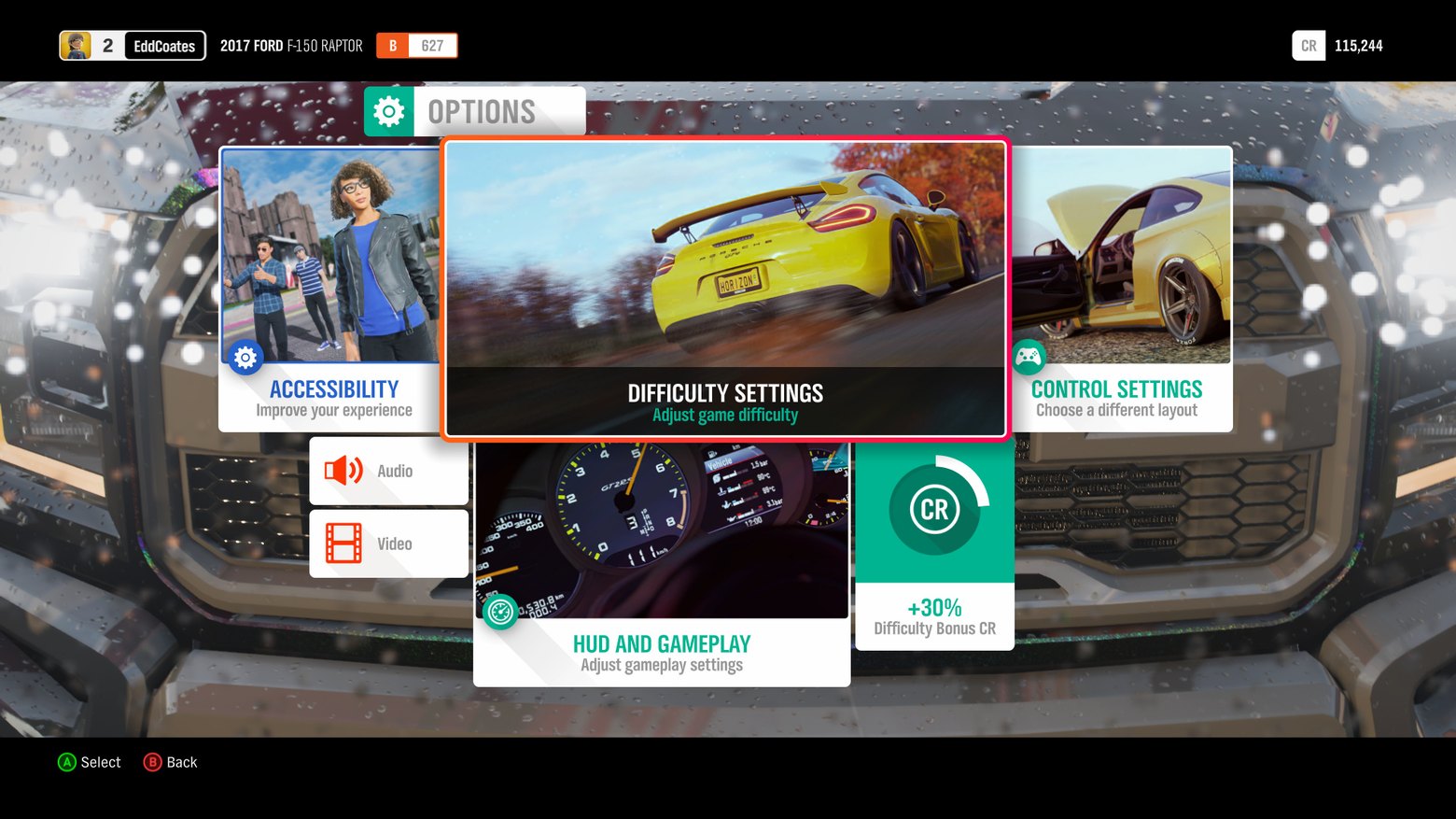
The game code no longer needs to know the control type, the window structure, or even how many labels there are on it at all. The artist can tear everything inside the window apart and reassemble it, and as long as the binding names haven't changed, the game keeps working. This same pattern lived, lives, and will live in every WPF/WGFG binding system, where everything not related to rendering the widget is moved out into a config.
Templates and prefabs long before Unity
When dozens of windows appear in a project, it turns out that each of them has identical little pieces, for example a panel with a title and a close cross, an "OK/Cancel" button, tabs, scroll lists. Building the same set of controls from scratch in every window is painful, and making separate C++ classes for it would be even more painful, because after that you can't edit them in the editor as ordinary data.
The solution to this problem became templates (Unity would much later call them Prefabs, and in Unreal it's the Blueprint Class). And it works almost literally like Prototype from GoF, with the caveat that there it won't be inheritance, but simply copying the properties and all the child components.
Template "DialogWithHeader"
├── Panel "Background"
├── Panel "TitleBar"
│   ├── Label "Title"
│   └── Button "Close"
└── Panel "Content"     <-- slot for user content
Next, the template is registered in the factory as a new component type, appears in the editor palette, and can be dragged onto windows like an ordinary button. At the save level the templates are stored in a file, but it's not the whole internal structure of the template that's stored, only the template name and the diff of the specific instance's properties relative to the reference one.
<instance template="DialogWithHeader" name="QuitDialog">
    <override path="TitleBar.Title.text" value="Quit the game?"/>
    <override path="Content"             value="@QuitDialogContent"/>
</instance>
This diff format would later be inherited in exactly this form by Unity (Prefab Overrides, which appeared in Unity 2018) and Unreal (Blueprint Defaults). If anyone ever opened a .prefab file in a text editor and saw a pile of m_Modifications, that's exactly it.
Messages and handler levels
When a button is touched or something is done to it, someone has to handle it. Usually three levels of handlers are distinguished.
The message processor, or low-level function, which receives the "raw" message from the mouse, validates the parameters, and decides what actually happened (a click, a drag, a hover). Its job is to separate "what came from the hardware" from "what it means for the UI". The mouse sends coordinates and button flags, and someone has to decide that it was specifically a click and not the start of a drag, and that the coordinates landed on this button specifically and not the neighboring one, taking hitboxes and overlaps into account.
// Lives in the GUI input system, not in the control
// So the cross-frame state lives here
class InputProcessor {
  void on_mouse_down(const MouseEvent& e, double now) {
      ...
  }

  void on_mouse_move(const MouseEvent& e) {
      ...
  }
}
This is done at a separate level in order to ensure unified validation for all controls: checking the coordinates, checking that the button isn't disabled, checking that it isn't covered by another window shouldn't be duplicated in every OnClick. And only here can we tell a click from a drag, a double-click from a single-click, which requires keeping state between frames (the press time, the coordinate delta), and it's silly to hold that in the control itself.
The system handler, or a virtual method like OnClick, which the control can override in order to change its internal state (for example, the button changes its texture from idle to pressed).
Why is this moved into a separate level rather than made part of the user handler? Simply because the visual state of the button is the responsibility of the button itself, not of the game code that uses it, and if this level didn't exist, every user handler would be obliged to change the texture manually, and when adding a new button type it would have to be changed everywhere it's used.
A virtual method lets a subclass override the behavior without touching either the level above or the level below. ToggleButton overrides OnClick to stay in the pressed state after release, RadioButton overrides it to deselect its neighbors, doing all this without knowing what exactly the user handler does.
class Button : public Control {
    virtual void on_press()   { set_texture(textures.pressed); }
    virtual void on_release() { set_texture(textures.idle);    }
    virtual void on_click()   {}   // for a normal button, visually click == release
}
The system handler needs to be called before the user one, so that by the moment the game code reacts to the click, the button has already visually changed its state. The explanation is purely psychological and came from UX: if the user handler does something lengthy, the player already sees feedback that the press was registered.
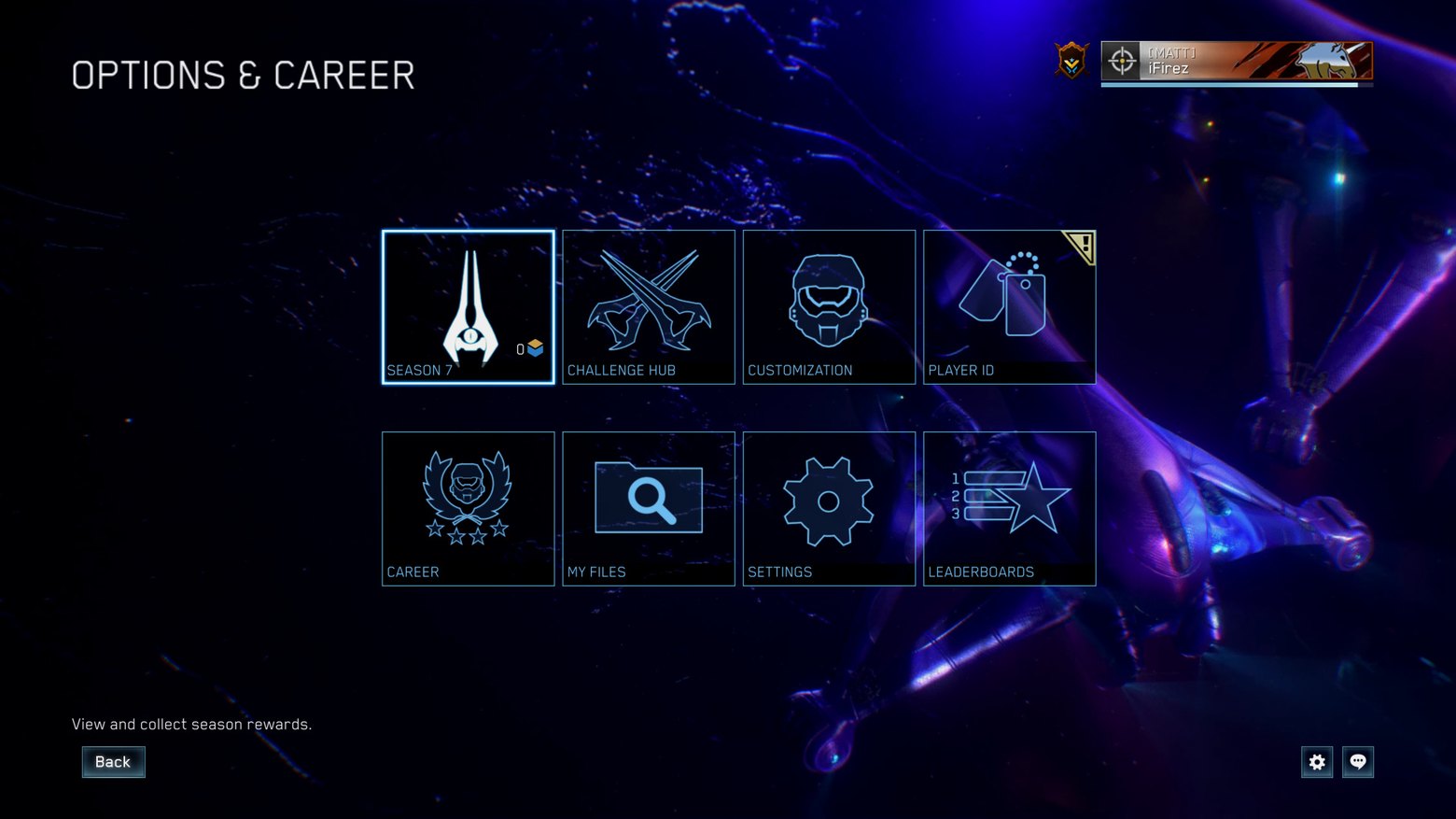
The last level is the user handler, or delegate, which is attached from the outside and knows nothing about the button's internals, and its job is exclusively game logic: open a screen, start a mission, deduct coins.
// The binding is in data/the editor, not in the button's code.
// The button knows neither the action's type nor its parameters.
start_button.bind("OnClick", StartMissionAction{}, {{ "mission_id", 7 }});
Again, why a functor? Why not a virtual method? Because a virtual method requires inheritance, and inheritance means that for each button with different behavior you'd need a separate class. In a real game there are hundreds of buttons and hundreds of behaviors, and creating StartMissionButton, OpenShopButton, AddCoinsButton — the third level closes this off, letting you bind any behavior to any button without a new class. The button doesn't know the name of the window to open, doesn't know the name of the control to tell something to, it just reports "I was clicked" and beyond that it's not its business. You can bind parameters to a functor before it's called, you can serialize it in the editor as "this handler with such-and-such arguments", you can copy it into a command queue.
GUI_ACTION(StartMissionAction) {
    int mission_id = get_param<int>("mission_id");
    g_game.start_mission(mission_id);
};
class Button : public Control {
    void process_mouse_click(const MouseEvent& e) {  // processor
        if (!hit_test(e.x, e.y)) return;
        on_click();                                  // system handler
        fire_user_action("OnClick");                 // user
    }
    virtual void on_click() {                        // system
        set_texture(textures.pressed);
    }
};
Modern engines repeat these levels one to one, simply because nothing better has been invented. In Unreal Slate there's "OnClicked", in Unity UI the Button.OnClick() event, in Godot they did twist things and made signals, but that turned out fine too. Between the message processor and the user handler there always sits a virtual function in which the control changes its own appearance. If in some engine you see a button whose "press" arrives directly in the user code, bypassing the internal visual reaction, that's an engine that will yet cause you problems.
How to deliver a message
The naive way of delivering a message in a control tree is "bubbling": you send a message to the root, it goes through the tree, and someone intercepts it. That's what HTML does with its event bubbling and WinAPI with its WndProc chain. This is outright garbage from the late '80s, because nothing better had been invented then, but later it carried over in some form into engines and stayed there. In a large window with a hundred controls such behavior becomes unpredictable, and it's unclear who "ate" the message along the way and why, and such bugs are debugged only "by eye".
class Gui {
    std::unordered_map<std::string, Control*> windows_;  // index of top-level windows

public:
    // The most common case, from game code by window name.
    void send(const std::string& window, const GuiMessage& msg) {
        if (auto it = windows_.find(window); it != windows_.end())
            it->second->dispatch(msg);
    }

    // By pointer when the addressee is already at hand, without a string lookup.
    void send(Control* target, const GuiMessage& msg) {
        if (target)
          target->dispatch(msg);
    }
};

gui.send("pause_menu", GuiMessage::Hide);   // "hide the pause_menu window"
The oldest and most persistent sufferer is Unity uGUI, and the classic developer complaint is "another UI intercepts my clicks". Debugging boils down to selecting the EventSystem and looking in the preview panel at who exactly received the event. An invisible Image with Raycast Target enabled can eat all the clicks, and you can only find it by eye through the hierarchy tree. Events in uGUI propagate the other way, from child to parent, that is, it's "reverse bubbling", and the parent gets the event only if the child didn't handle it. This is a bit better than WinAPI, but the fundamental problem is the same.
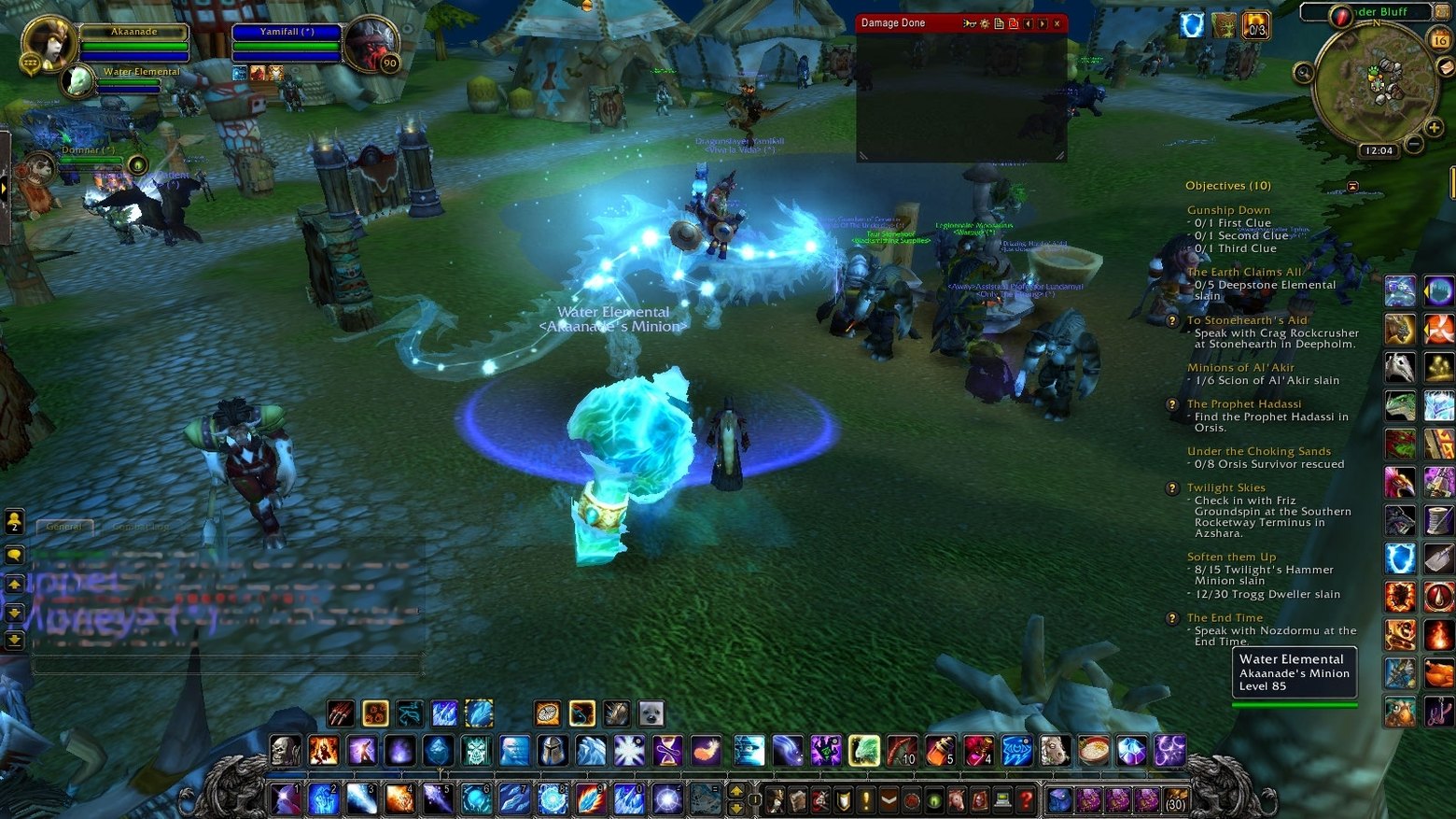
Another victim is World of Warcraft with its XML+Lua UI framework. There events also bubble up the frame hierarchy, and addon developers warred for years with the situation where someone else's addon puts an invisible frame over everything and eats the clicks. Blizzard eventually added SetPropagateMouseClicks specifically as a crutch for this problem.
The real usage in games splits into two solutions.
User messages (change a property, hide a window, start an effect) are delivered by name or by pointer directly to the addressee. Usually by name, because that's convenient from game code ("hide the pause_menu window"), but names aren't unique, especially inside templates.
Mouse and touch messages are delivered "by coordinates", when you have to find the topmost control covering the click point and send the message to it. But if you traverse the whole tree every frame, it becomes a bottleneck, so the hit test is cached, and as long as no control moved or changed visibility, we know which control lies on top at each point of the screen, and the lookup becomes constant-time.
This mechanism is used in Unity's GraphicRaycaster, where the cache of widget positions is rebuilt not every frame but on a hierarchy-change trigger. If your project's UI is sluggish and GraphicRaycaster.Raycast hangs in the profiler, most likely something is inadvertently triggering an invalidate of this cache every frame.
// A HUD-icon "blinker" that supposedly moves nothing
void HudBlinker::update() {
    icon_->set_position(icon_->position());   // the value is the same, but invalidate() is already triggered
    // => hit_cache_ is dirty every frame => rebuild() on every click
}
Regions and hit triangles
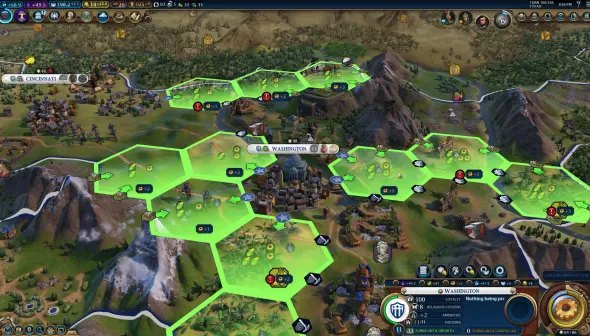
An obvious thing that everyone forgets until they run into a bevel on a rounded button or a round avatar: the standard hit test works properly only for rectangular controls. As soon as a button with a hole in the middle, or a hexagonal hex on a map, or a round icon with a transparent background appears in the design, the need arises for a mechanism that can accept or reject a click not only by the box but by the control's geometric shape.
The control's shape in general can be a list of shapes that cover the control's visual area, and if you hit one of them, we consider that you hit the control. By default the region is built from the same data as the screen bounding box, so simple rectangular controls get everything for free, while complex shapes are specified manually or assembled from a 9-slice grid.
The most vivid example is Civilization VI with its hexes, which in projection on screen look like rhombuses. A standard rect hit test would catch clicks on the corners of neighboring hexes, and to keep that from happening, each hex needs either an exact polygonal shape or an alpha hit test over the rendered texture. In Civ this is done at the level of a 2D GUI grid generated over the 3D, and a 3D click is converted back into 2D, against which the checks are run, because that's cheaper, but architecturally the task is the same for both cases.
Synchronous messages
There's one more solution that projects arrive at closer to the middle. At first all engines made messages asynchronous, simply putting them in a queue and processing them in one pass at the end of the frame. This works, but it works only on small scenes.
The problem surfaces when handling one message spawns a dozen new ones. What happens is: a thousand messages have accumulated by the end of the frame, the frame goes off to process the queue, and the game hitches. Plus debugging breaks, because it's unclear where a broken message came from, since the queue has no call stack and the context is lost.
So they switch to synchronous messages, where you created a message, filled it with parameters, and it executed right away in the current stack. The call stack is meaningful, debugging is sane, and there's no "burst of a thousand messages at the end of the frame".
For free we get the ability to write the messages that went through the GUI into, say, a journal and then replay them. This is exactly the same model as in the replay system in an RTS like StarCraft II or AoE2, only here it's used not for recording multiplayer matches, but for two things: automated tests ("record a tester's clicks, then replay them every night on CI") and reproducing bugs ("attach a recording to the bug, and it can be reproduced by pressing Play").
GuiMessage msg;
msg.open("OnPropertyChanged");
msg.param("target",   "label_armor");
msg.param("property", "text");
msg.param("value",    std::to_string(armor));
msg.close();   // <-- here all the handling happens synchronously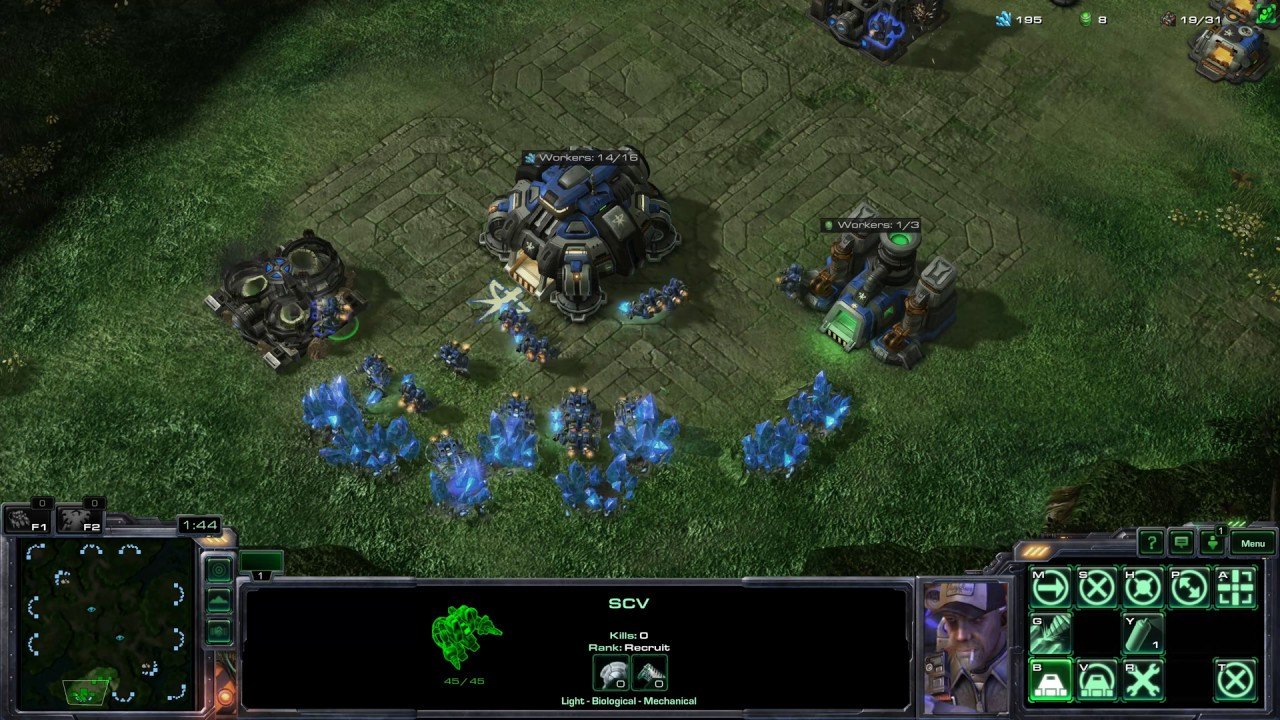
Layout, alignment, sizes, and constraints
If you set control coordinates in pixels, the interface drifts at different resolutions. If you set them only as percentages of the screen, then on a wide 21:9 the buttons end up stretched and the textures in them blurry. If only by alignment (top/bottom/center), then the designer loses freedom, and at some point asks to "anchor this button to the right edge with a 16-pixel offset, but no further than the center". Under any rigid constraints the UI breaks, so you have to compromise and keep different mechanisms. Alignment flags for (Left/Right/Top/Bottom/Center) anchoring to parent points, relative coordinates so that "this panel takes up 30% of the window's width", and constraints, like "but no less than 200px and no more than 600px".
Without the third point you get a situation where "you fix one combination of flags, and another breaks; you fix that, and a third one breaks". This isn't quite a games example, more about mobile UI, but games went through all of this too.
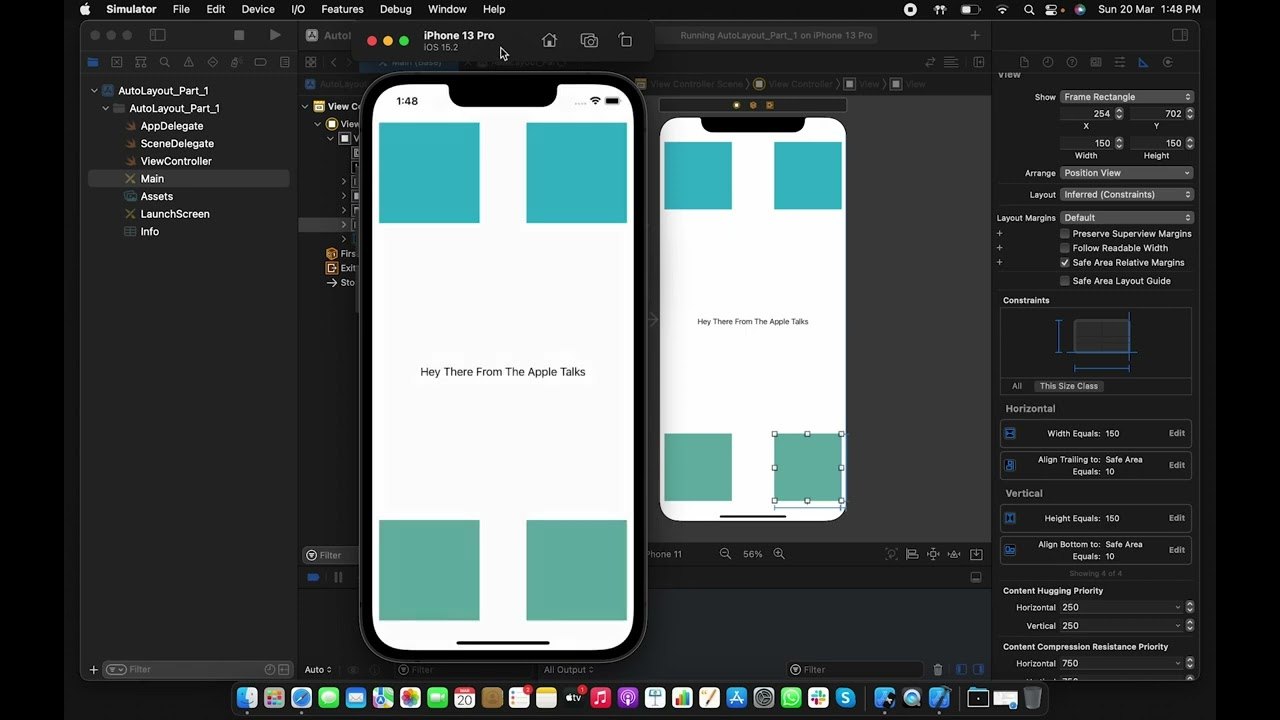
It took Unity's RectTransform almost 5 years and two majors for anchors (flags), pivot (the point of relative positioning), and numeric offsets (constraints) to appear. Anchors, pivot, and offsets all appeared together in Unity 4.6 in 2014 when uGUI came out — it was one big release of a new UI system, not a gradual addition over five years. Before that Unity had the OnGUI (IMGUI) system, which had no proper layout manager at all, so "five years and two majors" is more about how long Unity lived without a proper UI at all than about iterative improvement of RectTransform.
Unreal, on the other hand, did it almost right away, taking the good solutions from the web with its CSS, and CSS itself had arrived at flexbox and grid through a decade of experiments, but in essence solving the same task — how to make a layout that survives any resolution without rework. Unreal's UMG appeared in UE4 roughly at the same time as Unity's uGUI, but most of these concepts came from desktop UI frameworks (WPF, Qt, Cocoa), which also solved the same task independently of the web and sometimes earlier than it.
Textures as 9-slice
A button in a GUI is almost never a flat texture, and it's either a stretchable frame with corners, edges, and a fill in the middle, or something that can be assembled from other "shapes", so there's a standard technique, invented in the early 2000s and still alive in every engine. We split the button's image into a 3×3 grid of cells, where the corner cells don't stretch, the edge cells stretch along one axis, and the central one along both.
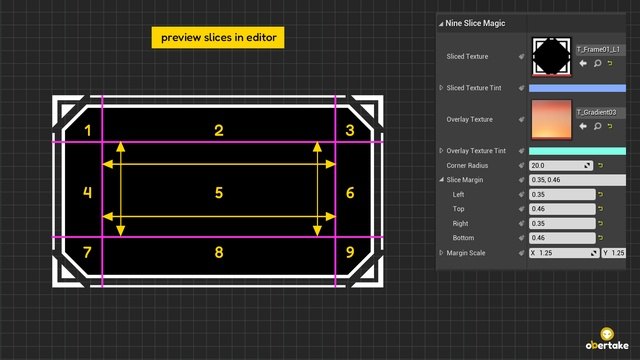
Each cell has properties: what's in it (a piece of texture), how it stretches (fixed, stretching, tile, mirrored tile). This is the basic 9-slice, which is baked into everything today from Unity to Flutter and practically any UI engine. Tiling is historically done with geometry rather than UV coordinates in a shader, so that it can be packed into a single texture atlas. If tiling is done via UV coordinates, then the texture has to be separate, and an atlas can't repeat, spilling over into a neighboring sprite when it repeats. But if you do tiling as several rectangles with the same UVs, then you can use an atlas and pack the entire GUI into one texture and render it in a single draw call.
Integer coordinates
If you set control coordinates in floats, sooner or later a designer comes along who makes a button that ends up between two monitor pixels. As a result the button's clean line becomes two semi-transparent lines, the text turns to mush, and the interface itself becomes blurry — this looks especially bad with text. If your game's UI "somehow got blurry", you almost certainly accumulated a fractional part somewhere in the coordinates.
The cure for this nuisance is exactly one: store control coordinates in int, and do all the intermediate calculations (animation, layout resolution) in the wider float type, but round to int before sending the geometry to the GPU.
The modern game industry arrived at this and worked out its rule, called "pixel-perfect rendering", and any pixel-art game like Celeste, Dead Cells, or Hyper Light Drifter can't afford floating pixels, and its entire GUI is computed strictly in integers. The same applies to non-pixel games too, it's just that the misses are less noticeable there. If you look at the example below, the Normal part looks smeared for exactly this reason.
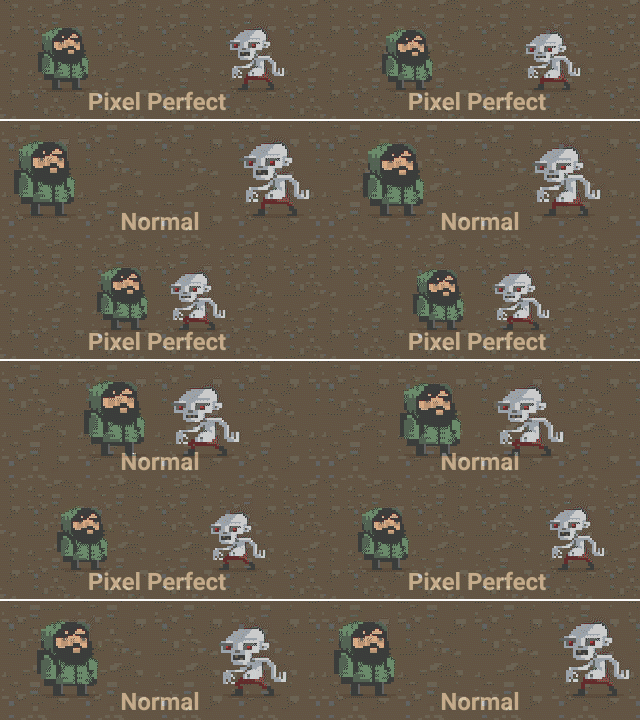
Players will complain about blurry buttons, no matter how beautiful they look.
A good UI is a good Bridge
Any UI that aspires to reuse between projects is obliged to be decoupled from everything as much as possible. From the renderer, the sound system, the scripting language, and the input engine, and the only way to decouple is the Bridge pattern, where between the GUI and each subsystem stands an interface that in one project looks at DirectX, in another at OpenGL, in a third at Vulkan, in a fourth at Metal.
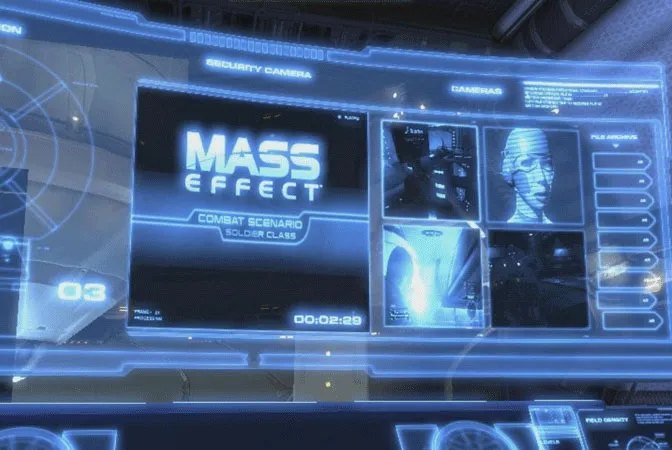
All commercial UI engines eventually arrived at this, and the pinnacle of development was Scaleform, which under the hood sat on top of the old Flash but exposed an abstract render backend, letting you embed UI anywhere, as long as there was a texture. It worked in Mass Effect 2, and in GTA V, and in Crysis 2. But Scaleform didn't use Adobe Flash Player as a dependency; they simply wrote their own SWF runtime that read the same file format as Flash but rendered through an abstract backend. That is, it wasn't just a "wrapper over Flash", but its own implementation compatible with the format.
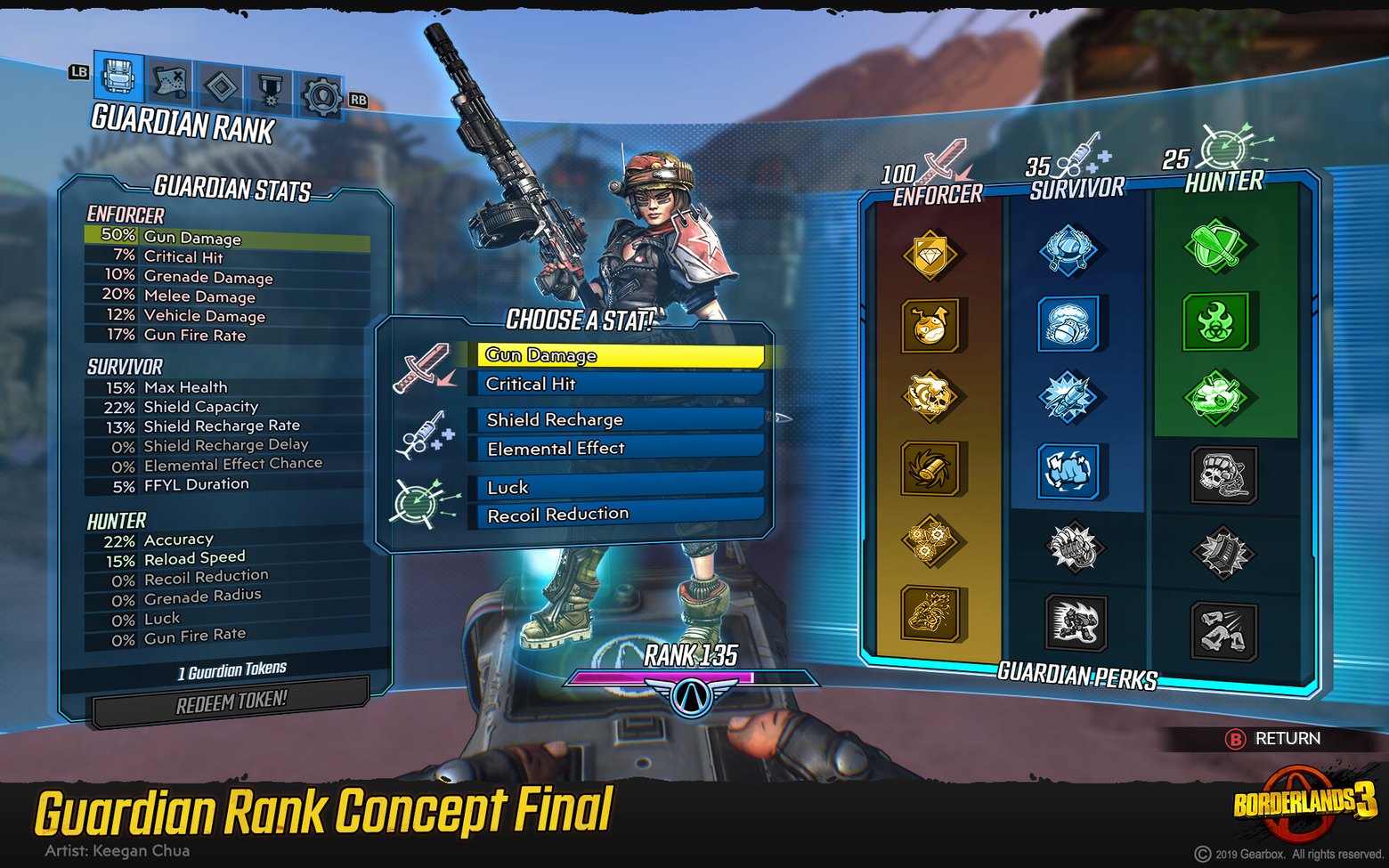
Coherent Gameface went further and made its own HTML engine, so that one and the same UI could easily be built for DX11/DX12/Vulkan/PS5/Switch without edits. Gameface is based on its own libraries Cohtml and Renoir, written from scratch specifically for games, and is not based on WebKit, Chromium, or Gecko — i.e. they wrote their own HTML5-compatible page-rendering engine from scratch, and this UI is effectively a website, with pages.
Text, glyphs, tags, and styles
Rendering formatted text in itself isn't hard. The Flyweight pattern (a.k.a. Glyph) is used, and the whole string is split into small character objects, each of which knows its own position, texture coordinates in the font atlas, color, and font. The same set of glyphs is reused for different strings, and the heavy part (the dynamic font bitmap) sits in a cache. The complexity begins at the level of "how to describe this text". The first generation of UI developers marked up text with inline tags, as in HTML:
Congratulations, <b><color=red>Gandalf</color></b>!
Level <size=24>10</size> reached.
This worked until the designer got the next brilliant idea, like "let's make all city names red". Then it turns out the tags are smeared across thousands of localization strings, and changing the styling is, at best, manually going through the entire translation file and updating the tags, but translations are a rather dangerous thing, more on that below. So the right next step always turns out to be a stylesheet, which over time grows into a table of named styles (hero_name, quest_title, damage_number) that live in a separate file, and only references to a style are inserted into the text:
<styles>
    <style name="hero_name"   font="title.ttf"  size="18" color="#ffcc00" bold="true"/>
    <style name="city_name"   font="title.ttf"  size="14" color="#ff4040"/>
    <style name="damage_crit" font="bold.ttf"   size="36" color="#ff0000"/>
</styles>
<text>
    Congratulations, <param style="hero_name">{hero}</param>!
    City <param style="city_name">{city}</param> liberated.
</text>
High-level tags like <param> are substituted with low-level ones (<font>, <size>, <color>) at the build-preparation stage, and the UI artist can recolor all the hero names in one place, without doing it twice. Hmm... looks like we've invented CSS.
This CSS lives in WPFG as a Style resource, in Unity UI Toolkit as .uss, and in many engines as a custom format, but the idea is one — make something that separates styling from text. Now the text is on its own and only asks "draw me in the hero_name style", while exactly what that style looks like is decided by the stylesheet.
Localization, context, and why the tags stay in the text
In an ideal world localization would look like a key -> string dictionary, but the reality of Asian, Slavic, and Finno-Ugric languages cruelly breaks that ideal against "the knees of cases". Because word forms change with number, gender, and context, and in Asian languages also with the position of the word in the sentence, and "5 enemies" translates as "5 врагов", but "1 enemy" was "1 враг", and "2 enemies" already became "2 врага". Because of this, localizers and game developers really dislike languages of certain groups, cursing Cyril and Methodius up and down.
One template won't work here, and neither, for that matter, will three or five templates. Cyril and Methodius, of course, invented the alphabet, not the grammatical categories of the Russian language, so cursing them out over six cases is a bit unfair, but it doesn't make it any easier.
The harshest problem isn't the cases, but the word order in compound strings and the fact that what fits into "Found {count} {item}" in English requires inversion in German, in Japanese the verb goes to the end, and string concatenation simply doesn't work here at all. So for certain languages you also have to build a conversion layer, or outright make separate custom translations that don't fit into the usual system. You'll very rarely encounter, say, a translation into Estonian or Finnish; they're rare because Finnish has fifteen cases and Estonian fourteen, where literally everything declines, including numbers and possessive constructions. Plus agglutination, where a word gets covered in suffixes and one English noun turns into a dozen forms, which makes localization expensive, and a small market doesn't recoup the costs — though enthusiasts, of course, do show up.
So in the localization table you have to store the context and declensions within a single entry, and the minimal set of tags for Russian/Polish/Czech would be a way to describe the plural form (one/few/many), the gender (male/female/neuter), and sometimes the case. This is the same model as in ICU MessageFormat, but the problem is that the game now has to know about the peculiarities of different languages and account for them in its code, which is exactly what we wanted to avoid.
enemies_killed = {count, plural,
  one   {{count} враг убит}
  few   {{count} врага убито}
  many  {{count} врагов убито}
  other {{count} врага убито}
}

item_picked_up = {gender, select,
  male   {Подобран {item}}
  female {Подобрана {item}}
  neuter {Подобрано {item}}
}

combined = {count, plural,
  one   {Найден {count} {gender, select, male {артефакт} female {реликвия} other {существо}}}
  few   {Найдено {count} {gender, select, male {артефакта} female {реликвии} other {существа}}}
  many  {Найдено {count} {gender, select, male {артефактов} female {реликвий} other {существ}}}
}
If you drag this into your project, then the game code now knows that a sword is masculine, and this becomes a leak of language specifics upward. And besides, in Japanese or Turkish a sword has no gender at all, and that conceptually breaks the model you built earlier.
"sword": {
  "text": "меч",
  "gender": "male"
}
Then the game code knows only the "sword" key, while the localization system itself fetches the gender and applies the right form. The game code stays blind to the language. But this works only while the context is static. As soon as dynamics appear, like a character name entered by the player, a procedurally generated creature, or an item from a mod, the system again requires the game code to pass the context explicitly, and the circle closes. So it's impossible to completely avoid knowledge of the language in the game code, you can only minimize and isolate this knowledge in the localization layer.
Localizers, as practice shows, are not entirely or not at all sane, and in real work this means the translation interface must be maximally protected from accidental edits. For example, a localizer can erase an opening tag and bring down the whole UI, and sooner or later this happens, so the tags in the localizer are usually shown as untranslatable "bubbles" (placeable tokens) that can't be edited, only rearranged.
Separately it's worth mentioning that not only strings are localized; for example, an icon with the text "PRESS START" can be neither translated through a dictionary nor drawn over the button, because the text is part of the texture. So the real pipeline localizes textures too, where at the stage of building the localized version, sprites with inline text are swapped, and in Japan the same button hangs in the game, but with the text "スタート".
Fonts, butterfingers, the generator, and SDF
With fonts in a GUI there are two independent problems. The font is more sensitive to pixel-snapping than anything else in the UI, and if you might not notice button coordinates that shifted by half a pixel, with the letter "ш" you will. As already mentioned, text coordinates live in int, and in real rendering there's a separate stage of "snapping the text to the pixel grid", even if someone passes it through floats.
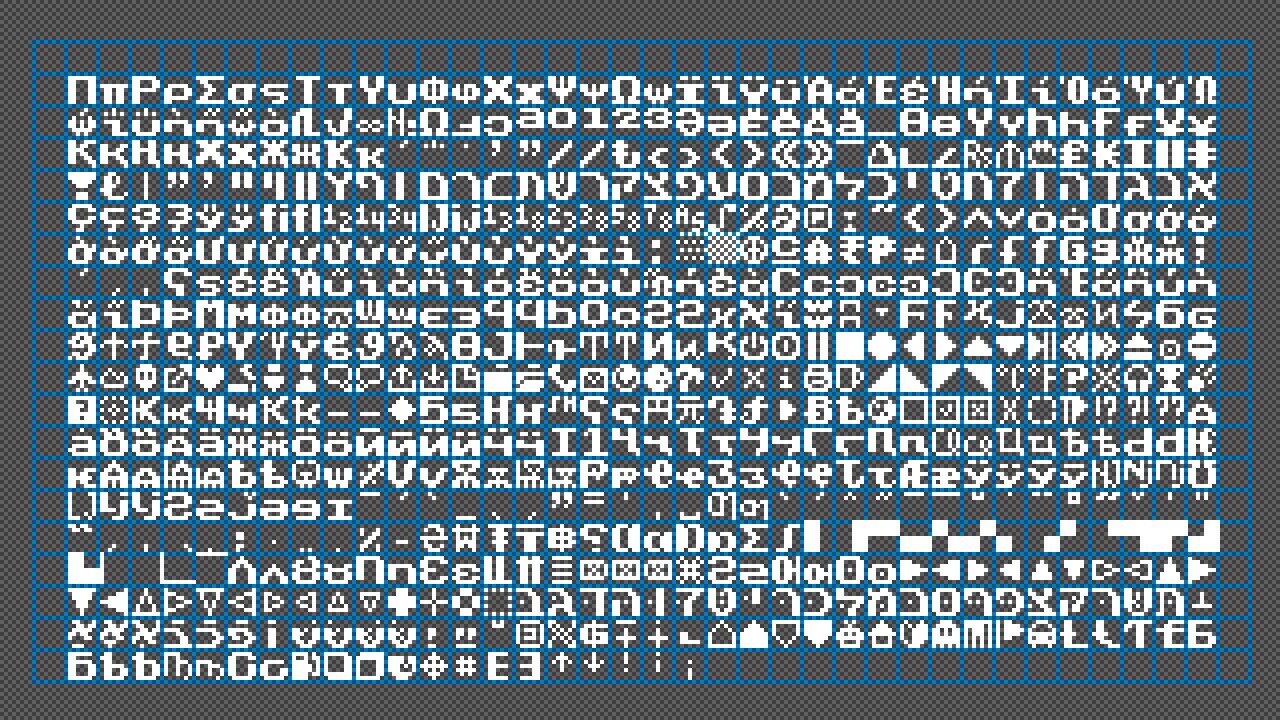
The other problem is that the font has to be prepared somehow, and historically three paths developed in games.
Make raster texture fonts, where an atlas with glyphs is drawn, and UV coordinates go to each letter. This will run fast on the GPU, but scales poorly, because each size needs its own atlas, and each option needs its own atlas too, which brings us to about 8 variants of one font.
Make vector fonts right at runtime, where the rendering is done through FreeType or a native API. This is better, but more expensive, because every frame you'd have to recompute the glyph rasterization, so you still need a cache atlas that's filled in as glyphs are actually rendered.
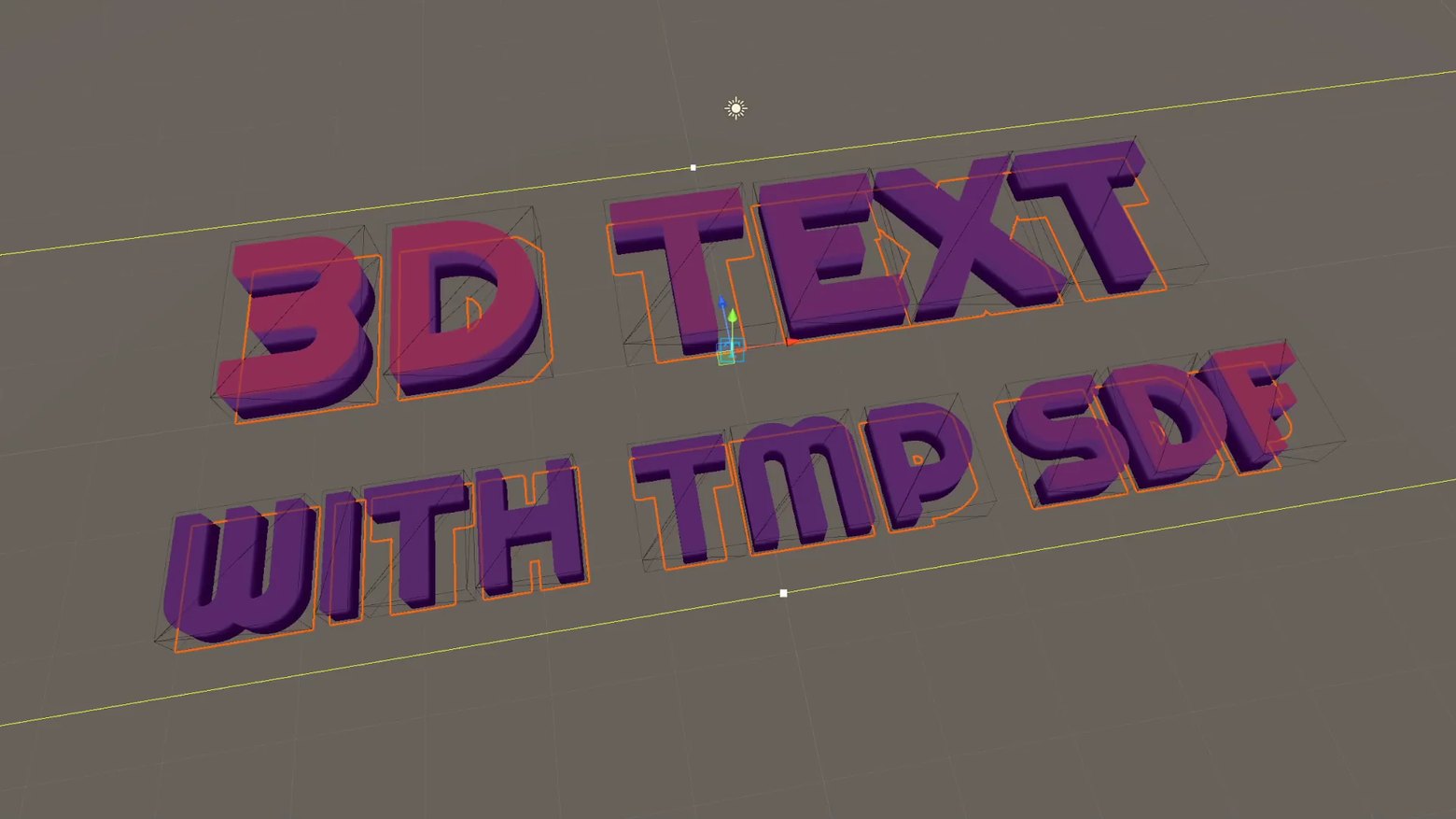
You can use SDF fonts (signed distance field), which appeared after 2007 thanks to Chris Green of Valve. A glyph is stored not as "there's a pixel / there's no pixel", but as "the distance to the nearest edge", which gives good interpolation at any scaling with one and the same texture, and works perfectly for labels in a three-dimensional scene that the camera moves toward and away from. Doom 2016 makes practically its entire UI on SDF, and the overwhelming majority of modern games after 2015 use exactly this approach for text in 3D space.
Effects
When the designer asks "let's make this window appear transparent and smoothly become visible", the obvious solution is to add the alpha, scale, position_offset properties to the control and hang animation on them. This again works for simple cases, but quickly falls apart if there are many effects, you want to combine them, or some effects don't reduce to a single property (blur, tinting, smooth color shift, glow along the edge).
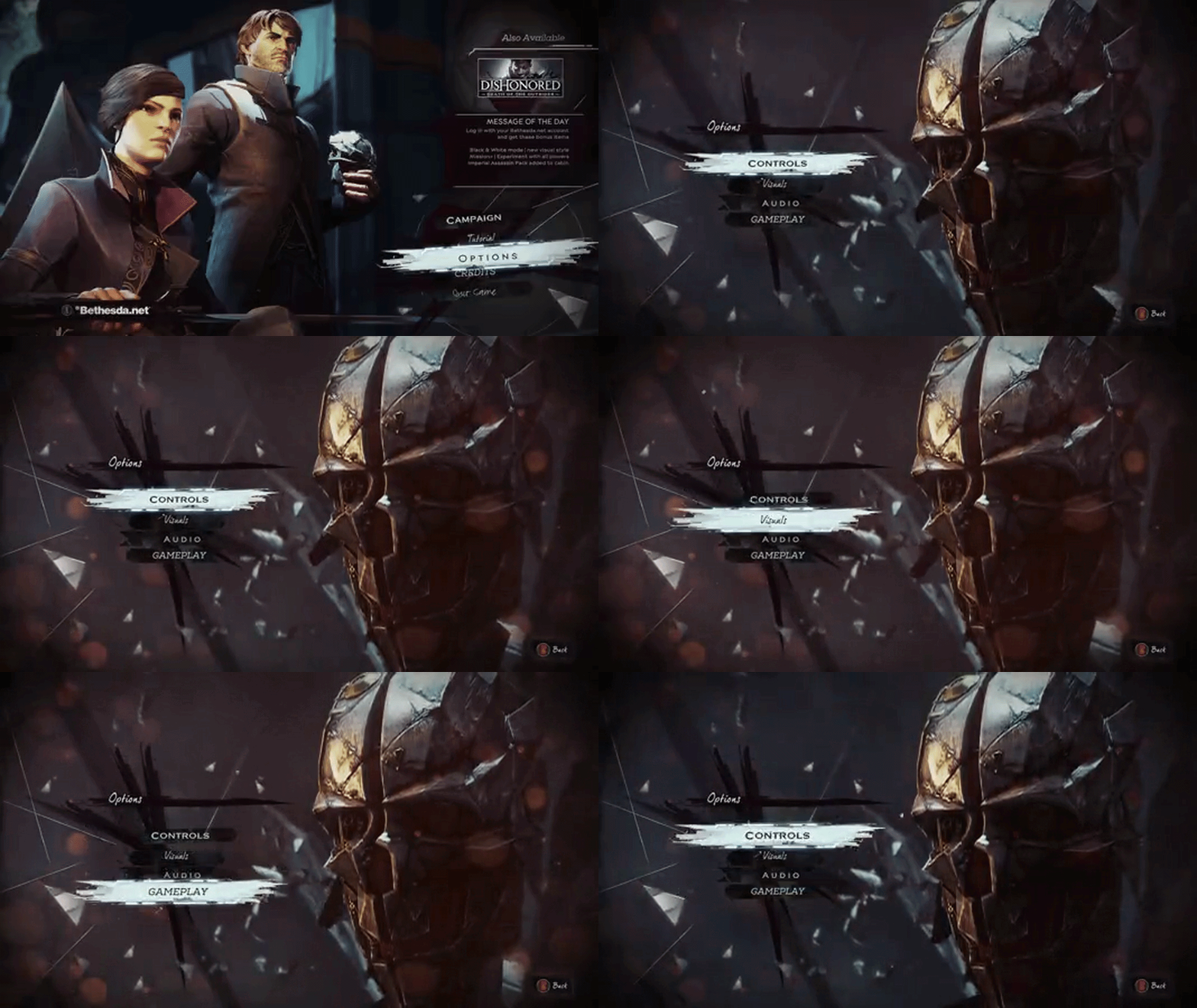
Then an effect is brought into the UI as an architectural decision. Now an effect is a filter that sits between the control's properties and the final geometry, which then goes to rendering.
struct IGuiEffect {
    virtual void apply(const Control& src, RenderRequest& out) = 0;
};
class FadeEffect : public IGuiEffect {
    float alpha;
public:
    void apply(const Control& src, RenderRequest& out) override {
        out.color.a *= alpha;
    }
};
class ScaleEffect : public IGuiEffect {
    float scale;
public:
    void apply(const Control& src, RenderRequest& out) override {
        out.transform.scale_around_pivot(scale, src.pivot());
    }
};
Effects stack up and go one after another, each seeing the result of the previous one. This is the same model as post-processing in modern renderers (Bloom -> Color Grading -> Vignette), CSS filters (filter: blur(5px) brightness(1.2)), and Unity Canvas Renderer Effects. From effects grew all of diegetic UI, where the interface is rendered not as a flat overlay but into the scene. But that's no longer a filter on the way to rendering, it's a separate pipeline.
Render-to-texture and diegetic UI
When trying to embed an ordinary 2D UI into a game, the effects architecture runs into its natural limit, because a filter on the way to rendering assumes that the UI lives in flat screen space and just modifies what landed there. But as soon as the designer asks "let's put the health bar right on the character's back" or "the inventory interface appears as a hologram in front of the player", the whole stack of filters becomes useless, because the object now exists in the three-dimensional world, it has a position, a normal, lighting, and depth, and it has to be drawn not over the finished frame but together with the scene.
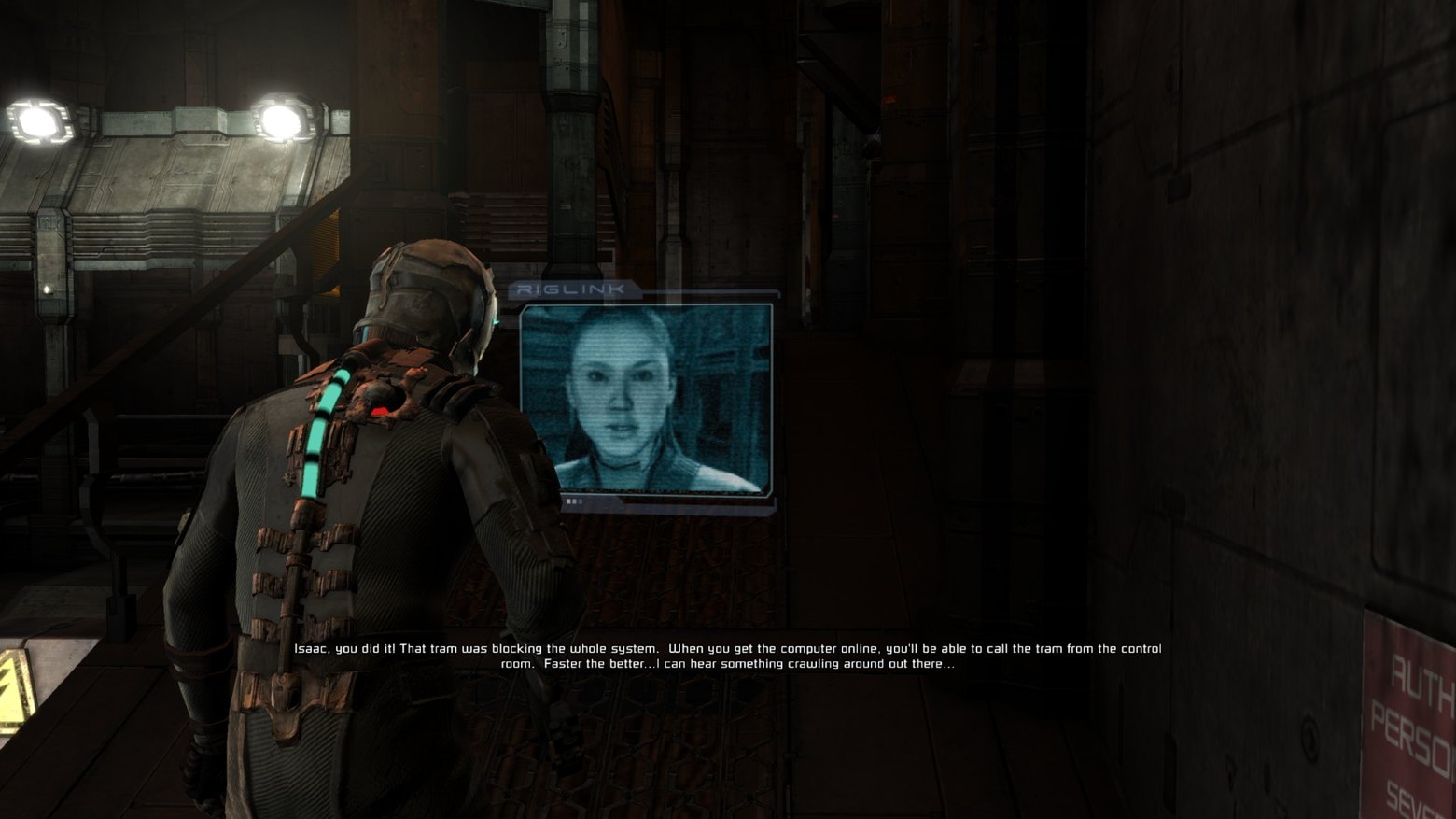
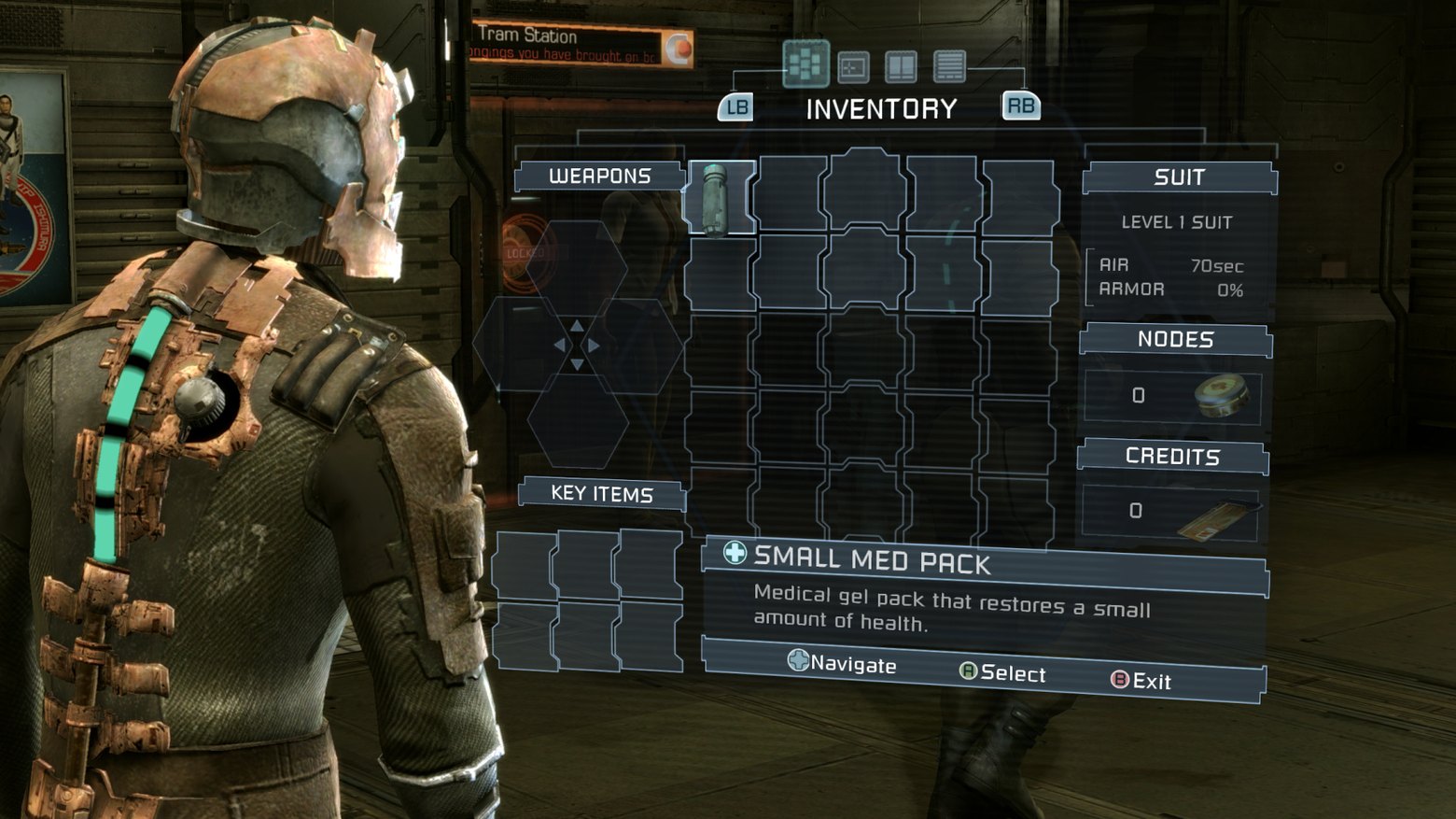
Dead Space is probably the most-cited example of such a transition, because it has no on-screen HUD in the classic sense at all — the health bar is built into the spine of Isaac's suit and is rendered as the character's geometry, the inventory unfolds as a hologram right in front of the camera in world space, and all of it goes through the same render pass as the scene geometry, with shadows, with reflections, with occlusion.
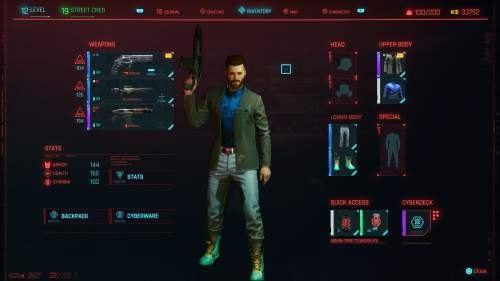
Cyberpunk 2077 goes the same way for terminal interfaces and holographic projections that react to the viewing angle and are partially occluded by geometry. In both cases, under the hood this is no longer a filter or a post-process, but a separate set of meshes with UI materials that live in the scene like ordinary objects and require their own management of depth, transparency, and draw order relative to the rest of the geometry.
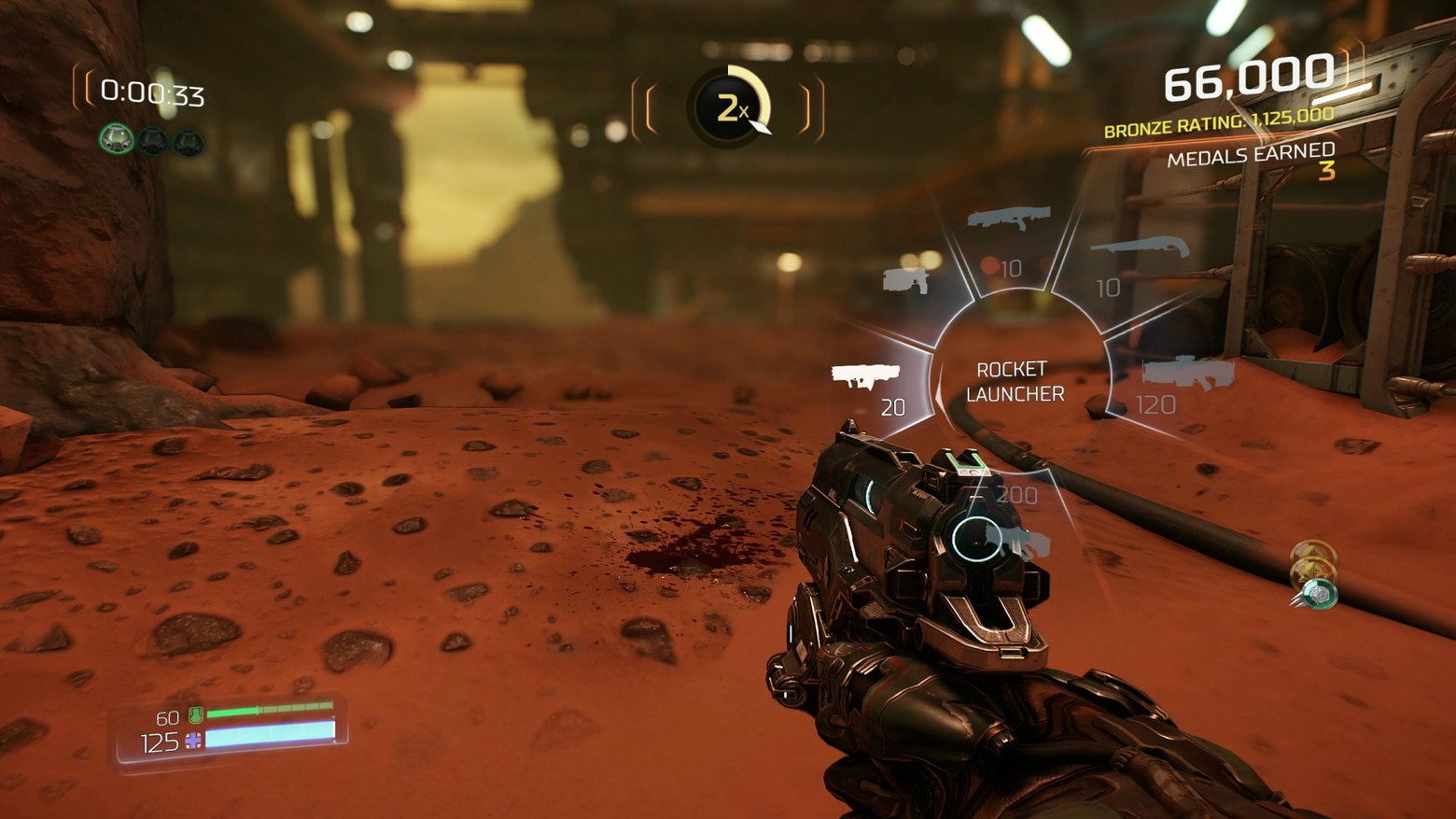
This spawned a separate "diegetic" school of UI, like the aforementioned Dead Space; among the other vivid representatives we have Doom (2016), where the character's gun has a small LCD screen on the top of its body with the ammo count. This isn't a texture on the model, it's a GUI window with text, rendered into a texture in real time and applied onto the weapon mesh.
Or Metro Exodus (2019), where Artyom's wristwatch with a compass and a contamination indicator is displayed as a real 3D object onto which the UI is projected. The texture with the compass is updated every frame via render-to-texture.
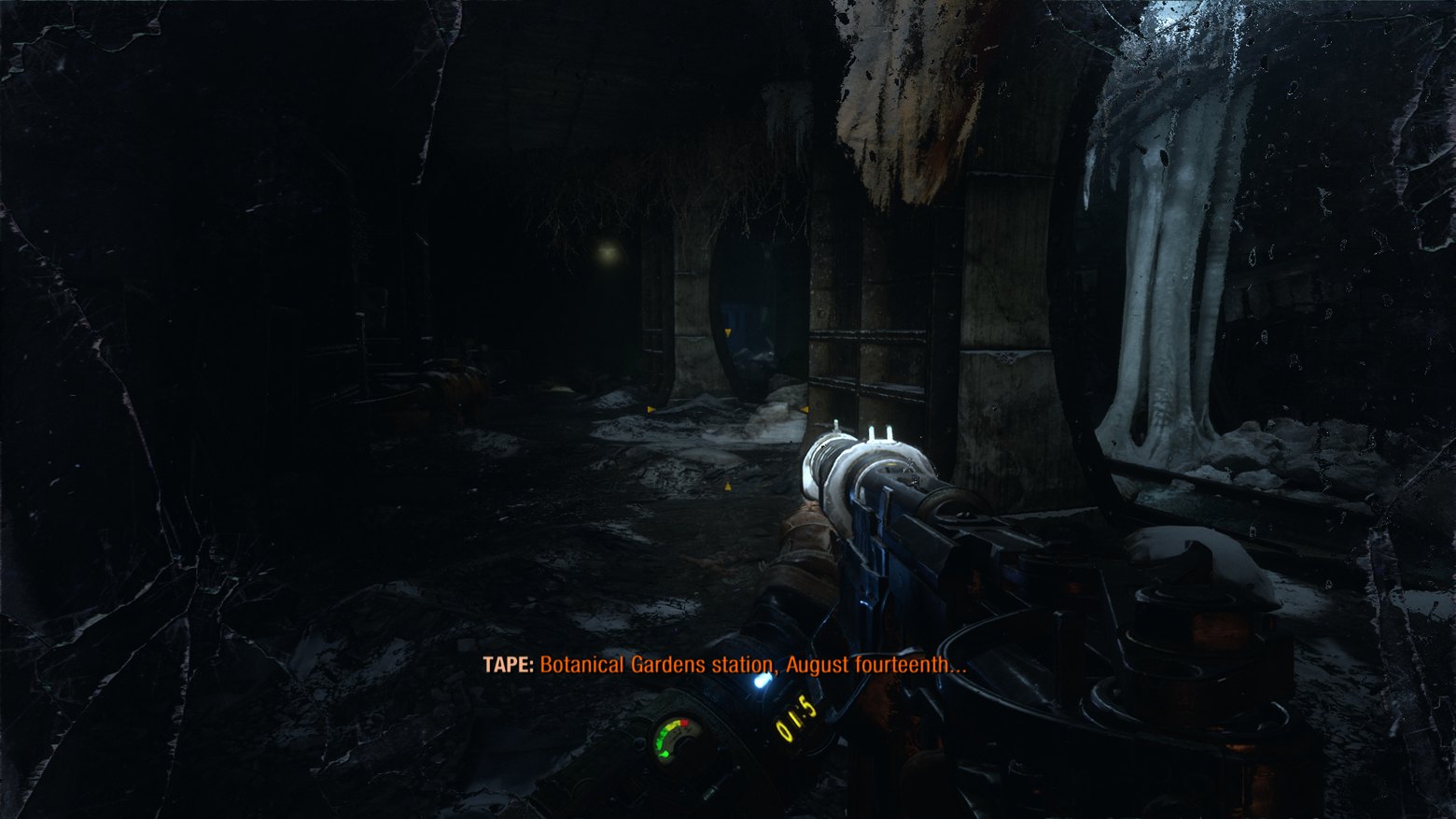
That is, we assemble a window in the editor, then render it into a texture, apply it wherever needed, and get, in the game, a television with a film and subtitles in the right language. This is still one of the most elegant applications of a well-abstracted GUI: one and the same pipeline draws both the main menu in the backbuffer and the computer screen in a location and the LCD on the weapon.
How it changed 20 years later
It didn't, really — the architectural skeleton of the GUI stayed the same as twenty years ago, with minor additions. Composite, properties with reflection, links, templates, synchronous messages, a Bridge over the engine, offline localization — all in the same place and in their proper spots, just called something different in each engine and grown over with local tooling, but the details and implementations changed.
The immediate-mode regime (ImGui) appeared and became popular, grabbing almost the entire dev-tools toolkit. If 20 years ago the GUI editor was always in retained mode (controls store state), then for debug panels inside games today the standard is Dear ImGui, where controls are recreated every frame, there's no tree, no editor.
Separate HTML engines inside games became the norm for AAA, and Coherent Gameface, Scaleform, the Awesomium descendants (CEF) let you lay out a game UI like a website. Cyberpunk 2077, PUBG, and a number of EA titles, the Origin client — all of this is built as websites with rendering into the game scene. SDF fonts displaced raster ones, and binding everything engine-side into the UI stopped being a rarity. Lately GPU-driven UI is increasingly pulling development onto itself, and many engines already render the entire UI screen in a single pass.
What hasn't changed is the reasons why GUI systems get rewritten. To this day any tech lead who lands on a new project starts with the phrase "let's do it properly this once", and to this day, two years later, it turns out the GUI had more tasks than the plan assumed.
If you want to step on a lead's sore spot, ask whether the UI system needs to be rewritten and watch his eye start twitching as he runs off for the valerian drops.
P.S. Stay tuned — there will be a second part about how this very UI was tormented from game to game...
 ← All articles