
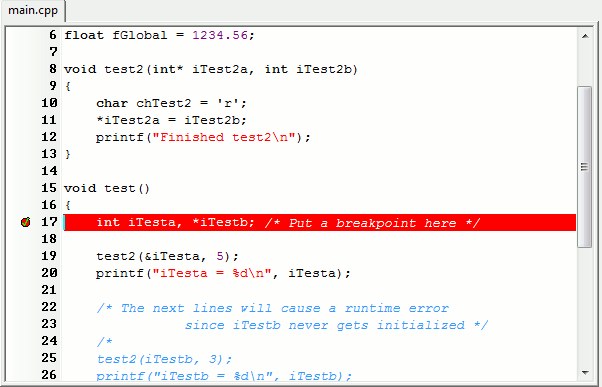
When you debug a program — meaning the debugger in Visual Studio or another IDE — you almost always deal with breakpoints: a mechanism that pauses the program's execution so you can look inside and understand what's going on. There are only two fundamental types of breakpoint, software and hardware, and all the rest are built on top of them. These two base types can behave similarly, but they're built quite differently.
Software breakpoints are what every developer runs into when you place a red dot in the IDE (I mostly use big Visual Studio) or use the bp command under WinDbg. In this case the debugger simply swaps one byte of machine code in the target instruction for an int 3 instruction. This is a special instruction for raising a debug interrupt; it has machine code 0xCC and tells the CPU: "Stop, I want to hand control to the debugger." So when execution reaches this instruction, the interrupt fires and control passes to the debugger. The debugger "wakes up", sees that the program stopped because of an EXCEPTION_BREAKPOINT raised at a specific address, checks its internal list of breakpoints, and finds the one installed at that address.
Then a little magic happens: so the program can keep running after the stop, the debugger restores the original byte that was replaced with 0xCC, executes the original instruction, and then puts int 3 back in its place. As a result you can hit this breakpoint again later and it will fire again. All of this happens invisibly to you — you just press "Continue" and the debugger does all the dirty work.
There are two ways to execute a single instruction here. The debugger executes it (the original instruction, now restored) and then writes 0xCC back at the breakpoint address so it fires next time. Or the second option — we resume the program: here the debugger also re-arms the breakpoint, but it uses a special CPU mechanism (the Trap Flag, TF) to execute just one instruction and then immediately put 0xCC back. This guarantees the breakpoint stays active.
If you've ever tried to view memory or disassemble code at a spot where a breakpoint is set, you've seen that there's no int 3 there. That's because the debugger has to show you the original bytes even though physically 0xCC is already in memory — keeping up the illusion that the current application's code hasn't been altered.
The advantage of this approach is that it's simple to implement and barely differs across IDEs. Software breakpoints can be placed anywhere, you can have as many as you like, and they require no CPU support. But there's an important limitation — it works only for code, so this way you can't track when a specific variable or memory region changes.
MEMORY BEFORE:                      MEMORY AFTER:
┌─────────────────────┐            ┌─────────────────────┐
│ Address: 0x00401000 │            │ Address: 0x00401000 │
│                     │            │                     │
│ [48 89 E5]          │  ───────>  │ [CC 89 E5]          │
│  mov rbp, rsp       │  Replacing │  int 3 (0xCC)       │
│                     │   the      │                     │
│ [48 83 EC 20]       │   first    │ [48 83 EC 20]       │
│  sub rsp, 0x20      │   byte     │  sub rsp, 0x20      │
└─────────────────────┘            └─────────────────────┘

DEBUGGER STORES THE VALUE:
┌──────────────────────────┐
│ BP[0x00401000] = 0x48    | <-- Original byte
└──────────────────────────┘
This is where hardware breakpoints come into play, and they're built on a fundamentally different principle — one tied to the CPU's capabilities. The processor can watch certain memory addresses: for this, the x86 and x64 architectures have special debug registers — DR0, DR1, DR2, DR3, plus the control registers DR6 and DR7. Each of these registers can hold an address, and the CPU will track accesses to it. As soon as someone reads, writes, or executes an instruction at that address, a special exception is generated and the debugger gets control. Instead of swapping code on the fly, we offload this work to the processor.
So hardware breakpoints don't modify the program's code and let you react not only to execution but also to reads or writes of data, which is handy when you need to catch memory-corruption bugs or complex behavior of a particular variable. In simple cases you can catch the moment data changes and stop the program as soon as someone tries to write anything at that address.
The inconvenience here is that there are only four such hardware breakpoints — matching the number of special CPU registers — and each one can watch a strictly defined, size-aligned memory range (1, 2, 4, or 8 bytes). So hardware breakpoints aren't suited to everyday work, but they let you build handy little tools to help the developer.
Back to practice: imagine you're writing some component, and suddenly one of its variables turns out to be changed. Software breakpoints are useless here, because there's no telling where exactly the write happens. So it's either drowning in logs and "reading the sources", or using hardware breakpoints, with which debugging the right spot is solved in one step: set a watchpoint on the variable's address, pick the "on write" event type, and as soon as someone tries to write a new value the debugger drops you right where you need to be.
Most debuggers can work with both types, combining them depending on the situation. Software breakpoints are used for ordinary code — to stop in a function, single-step, step into a call. Hardware ones are used for the hard cases: when you need to track a memory change, catch a race between threads, pinpoint the moment of data corruption.
Hardware breakpoints are a fairly powerful yet simple-to-use tool, whose implementation I'll walk through a bit below. The two mechanisms don't replace each other, but together they let you see the program's execution flow more fully and understand precisely what's happening in each case.
┌─────────────────────────────────────────────────────────────┐
│                    SOFTWARE BREAKPOINT                      │
├─────────────────────────────────────────────────────────────┤
│ Mechanism: Replace a byte with 0xCC (int 3)                 │
│ Limit:     Unlimited                                        │
│ Type:      Code execution only                              │
│ Speed:     Slower (memory modification)                     │
│ Memory:    Modifies the program code                        │
│                                                             │
│  [48] → [CC] → [48] → [CC] (restore cycle)                 │
└─────────────────────────────────────────────────────────────┘

┌─────────────────────────────────────────────────────────────┐
│                    HARDWARE BREAKPOINT                      │
├─────────────────────────────────────────────────────────────┤
│ Mechanism: CPU debug registers (DR0-DR7)                    │
│ Limit:     At most 4 at a time                              │
│ Type:      Execute / Write / Read+Write                     │
│ Speed:     Faster (hardware level)                          │
│ Memory:    Does NOT modify the code                         │
│                                                             │
│  DR0 → [Address]                                           │
│  DR7 → [Trigger conditions]                                │
│  CPU tracks the access itself                              │
└─────────────────────────────────────────────────────────────┘
Extensions to the standard breakpoint
Since the debugger can manage software breakpoints, you can bolt various extensions onto them to make the programmer's life easier.
Conditional Breakpoint — fires when a given condition holds, for example i == 10 or entityName == "Enemy". Handy when the code is called many times but you only care about a specific case. Instead of manually pressing Continue/F5, you can set a condition and the debugger stops only when it's met. But judging by how slowly conditional breakpoints run in VS, they weren't implemented very well, and it's often simpler to add debug logic with a condition yourself than to use the debugger's implementation.
Hit Count Breakpoint — fires not on the first pass, but after the line has been reached a certain number of times. For example, you can say "stop on the 100th iteration of the loop." It follows logically from the previous type with minimal changes.
Function Breakpoint — lets you stop on entry to a specific function even if you don't have its source code. This makes it possible to work with libraries, SDKs, or third-party modules where the source is unavailable but pdb symbols are present (usually shipped with the SDK or on request). The mechanism relies on the debug-symbols file, which contains a table of the addresses of all functions and variables: when the developer types a function name into the debugger, say MyNamespace::Player::Update, it looks the name up in this table, finds the entry address, and swaps the first instruction byte in the usual way. Interestingly, even with no PDB files the debugger can set such a breakpoint — for example, if it finds the function in the export table of the executable or DLL, where the names of exported functions are stored. Things get more complicated with optimizations enabled, when the compiler may inline the function straight into the calling code, remove it as unused, reorder its blocks, or use the function's code only partially. In such cases the debugger may not find the function at all or set the breakpoint in an unexpected place — right inside the inline.
Exception Breakpoint — fires when the program throws an exception, e.g. a divide-by-zero, an out-of-bounds array access, or any error expressed via throw. In the debugger you can specify which exception types to stop on — only the unhandled ones or all of them.
Tracepoint (logging without stopping) — sometimes you just need to know what the program is doing at a certain moment without halting execution. That's what tracepoints are for: they print a message to the console or output window without interrupting the program.
Temporary breakpoint — the breakpoint fires only once and is then deleted automatically. Good for when you need to check a specific moment but don't want to remove the breakpoint by hand after it hits. In Visual Studio a temporary breakpoint isn't a separate type but a behavior you get with the Run to Cursor command. Under the hood the IDE sets a temporary breakpoint on the current line, runs the program, and as soon as execution reaches that line the debugger stops — after which the breakpoint is removed automatically.
DEBUGGER: Set breakpoint on "UpdatePlayer"

1: Resolve the function address
┌─────────────────────────────────────────┐
│ Look it up in the PDB:                  │
│ "UpdatePlayer" → 0x00401000             │
│                                         │
│ If there is no PDB, the Export Table:   │
│ "UpdatePlayer" → 0x00401050             │
|                                         |
| Look it up in the DLL Export Table:     |
|  GameEngine.dll Export Table:           │
│                                         │
│ ?XBH@UpdatePlayer@@QEAAXVVector3@@@Z    │
│  → Address: GameEngine.dll + 0x12340    │
│    (mangled name)                       |
└─────────────────────────────────────────┘
           ▼
2: Install the software breakpoint
┌─────────────────────────────────────────┐
│ MEMORY:                                 │
│ 0x401000: [55] → [CC]                   │
│           push rbp → int 3              │
│                                         │
│ STORE:                                  │
│ BP_Table["UpdatePlayer"] = {            │
│   address: 0x401000,                    │
│   original_byte: 0x55                   │
│ }                                       │
└─────────────────────────────────────────┘
A simple interface to your own breakpoints
Under the spoiler is the full code for working with hardware breakpoints; let's go through the most interesting parts.
Code for working with your own breakpoints
#pragma warning(push)
#include <Windows.h>
#include <cstddef>
#include <algorithm>
#include <array>
#include <cassert>
#include <bitset>
#pragma warning(pop)

namespace DebugWatchpoint {
    // Result codes for hardware-breakpoint operations
    enum class Status {
        OK,                         // operation succeeded
        ContextReadFailed,          // failed to get the thread context
        ContextWriteFailed,         // failed to set the thread context
        AllRegistersInUse,          // all 4 debug registers are taken
        InvalidCondition,           // unsupported trigger condition
        InvalidSize                 // size must be 1, 2, 4 or 8 bytes
    };

    // Trigger conditions for a hardware breakpoint
    enum class TriggerCondition {
        OnReadWrite,    // on read or write
        OnWrite,        // on write only
        OnExecute       // on instruction execution
    };

    // Descriptor of an installed hardware breakpoint
    struct WatchpointHandle {
        static constexpr WatchpointHandle CreateError(Status err) {
            return {0, nullptr, err};
        }

        uint8_t debugRegIdx;   // index of the debug register used (0-3)
        void* targetAddr = nullptr; // memory address the breakpoint is set on
        Status statusCode;          // operation result code
    };

    // Helper to safely modify a thread's debug registers
    // gets the context, runs the action, writes the context back
    template<typename ActionFunc, typename ErrorFunc>
    auto ModifyDebugContextImpl(ActionFunc action, ErrorFunc onError) {
        // Prepare the thread-context structure
        CONTEXT threadCtx{0};
        threadCtx.ContextFlags = CONTEXT_DEBUG_REGISTERS;

        // Get the current thread context with the debug registers
        if (::GetThreadContext(::GetCurrentThread(), &threadCtx) == FALSE) {
            return onError(Status::ContextReadFailed);
        }

        // Bit masks to check whether each of the 4 debug registers is busy
        // Dr7 holds the enable flags for every register
        std::array<bool, 4> regInUse{{false, false, false, false}};

        auto markIfBusy = [&](std::size_t idx, DWORD64 enableMask) {
            // Check the register's enable bit in Dr7
            if (threadCtx.Dr7 & enableMask)
                regInUse[idx] = true;
        };

        // Check each debug register (DR0-DR3)
        markIfBusy(0, 0b00000001);  // DR0: bit 0
        markIfBusy(1, 0b00000100);  // DR1: bit 2
        markIfBusy(2, 0b00010000);  // DR2: bit 4
        markIfBusy(3, 0b01000000);  // DR3: bit 6

        // Run the supplied action with the context
        const auto result = action(threadCtx, regInUse);

        // Write the modified context back to the thread
        if (::SetThreadContext(::GetCurrentThread(), &threadCtx) == FALSE) {
            return onError(Status::ContextWriteFailed);
        }

        return result;
    }

    // Installs a hardware breakpoint on the given memory address
    //   targetAddr - address to watch
    //   byteSize - size of the watched region (1, 2, 4 or 8 bytes)
    //   condition - trigger condition (read/write/execute)
    WatchpointHandle Install(const void* targetAddr, std::uint8_t byteSize, TriggerCondition condition) {
        return ModifyDebugContextImpl(
            [&](CONTEXT& ctx, const std::array<bool, 4>& regInUse) -> WatchpointHandle {
                // Find the first free debug register
                const auto freeReg = std::find(begin(regInUse), end(regInUse), false);
                if (freeReg == end(regInUse)) {
                    // All 4 registers are taken (x86/x64 supports at most 4 hardware breakpoints)
                    return WatchpointHandle::CreateError(Status::AllRegistersInUse);
                }

                // Compute the index of the register found (0-3)
                const auto idx = static_cast<std::uint16_t>(std::distance(begin(regInUse), freeReg));

                // Write the address into the chosen debug register (DR0-DR3)
                void* addr = const_cast<void*>(targetAddr);
                DWORD_PTR addrValue = reinterpret_cast<DWORD_PTR>(addr);
                switch (idx) {
                    case 0: ctx.Dr0 = addrValue; break;
                    case 1: ctx.Dr1 = addrValue; break;
                    case 2: ctx.Dr2 = addrValue; break;
                    case 3: ctx.Dr3 = addrValue; break;
                    default:
                        assert(!"Impossible happened - searching in array of 4 got index < 0 or > 3");
                        return WatchpointHandle::CreateError(Status::AllRegistersInUse);
                }

                // Work with Dr7 through a bitset for convenient bit manipulation
                // Dr7 is the control register holding enable flags and condition settings
                std::bitset<sizeof(ctx.Dr7) * 8> controlReg;
                std::memcpy(&controlReg, &ctx.Dr7, sizeof(ctx.Dr7));

                // Enable the local breakpoint for the chosen register
                // Bits 0,2,4,6 are the local enable flags for DR0-DR3 respectively
                // (bits 1,3,5,7 are the global flags, unused in user mode)
                controlReg.set(idx * 2);

                // Set the trigger condition in bits 16-31 of Dr7
                // Each register takes 4 bits: bits (16 + idx*4) and (16 + idx*4 + 1)
                // define the condition: 00=Execute, 01=Write, 11=ReadWrite
                switch (condition) {
                    case TriggerCondition::OnReadWrite:
                        controlReg.set(16 + idx * 4 + 1, true);
                        controlReg.set(16 + idx * 4, true);
                        break;

                    case TriggerCondition::OnWrite:
                        controlReg.set(16 + idx * 4 + 1, false);
                        controlReg.set(16 + idx * 4, true);
                        break;

                    case TriggerCondition::OnExecute:
                        controlReg.set(16 + idx * 4 + 1, false);
                        controlReg.set(16 + idx * 4, false);
                        break;

                    default:
                        return WatchpointHandle::CreateError(Status::InvalidCondition);
                }

                // Set the size of the watched region in bits (16 + idx*4 + 2) and (16 + idx*4 + 3)
                // 00=1 byte, 01=2 bytes, 10=8 bytes, 11=4 bytes
                switch (byteSize) {
                    case 1:
                        controlReg.set(16 + idx * 4 + 3, false);
                        controlReg.set(16 + idx * 4 + 2, false);
                        break;

                    case 2:
                        controlReg.set(16 + idx * 4 + 3, false);
                        controlReg.set(16 + idx * 4 + 2, true);
                        break;

                    case 8:
                        controlReg.set(16 + idx * 4 + 3, true);
                        controlReg.set(16 + idx * 4 + 2, false);
                        break;

                    case 4:
                        controlReg.set(16 + idx * 4 + 3, true);
                        controlReg.set(16 + idx * 4 + 2, true);
                        break;

                    default:
                        return WatchpointHandle::CreateError(Status::InvalidSize);
                }

                // Write the modified Dr7 back into the context
                std::memcpy(&ctx.Dr7, &controlReg, sizeof(ctx.Dr7));

                return WatchpointHandle{static_cast<std::uint8_t>(idx), (void*)targetAddr, Status::OK};
            },
            [](auto errCode) {
                return WatchpointHandle::CreateError(errCode);
            });
    }

    // Removes a hardware breakpoint
    void Uninstall(const WatchpointHandle& handle)
    {
        // Make sure the handle is valid
        if (handle.statusCode != Status::OK) {
            return;
        }

        ModifyDebugContextImpl(
            [&](CONTEXT& ctx, const std::array<bool, 4>&) -> WatchpointHandle  {
                std::bitset<sizeof(ctx.Dr7) * 8> controlReg;
                std::memcpy(&controlReg, &ctx.Dr7, sizeof(ctx.Dr7));

                // Clear the local enable flag for this register
                controlReg.set(handle.debugRegIdx * 2, false);

                // Write it back
                std::memcpy(&ctx.Dr7, &controlReg, sizeof(ctx.Dr7));

                return WatchpointHandle{};
            },
            [](auto errCode) {
                return WatchpointHandle::CreateError(errCode);
            });
    }

    // Removes all hardware breakpoints (clears all 4 debug registers)
    void ClearAll() {
        for (uint8_t i = 0; i < 4; ++i) {
            Uninstall(WatchpointHandle{i, nullptr, Status::OK});
        }
    }
} // namespace DebugWatchpoint
x86-64 processors provide 8 special registers for debugging:
- DR0–DR3: hold the memory addresses to watch (4 breakpoints max)
- DR4–DR5: reserved (aliases of DR6–DR7)
- DR6: status register (which breakpoint fired)
- DR7: control register (trigger-condition settings)
The structure of the DR7 register
Bits 0-7:   Enable flags (L0,G0,L1,G1,L2,G2,L3,G3)
Bits 8-15:  Reserved
Bits 16-31: Conditions and sizes for DR0-DR3
Each debug register takes up 4 bits in DR7:
// For register i (0-3):
Bit (16 + i*4 + 0): R/W bit 0
Bit (16 + i*4 + 1): R/W bit 1
Bit (16 + i*4 + 2): LEN bit 0
Bit (16 + i*4 + 3): LEN bit 1

// Trigger conditions (R/W bits):
00 = Execute (instruction execution)
01 = Write
10 = I/O Read/Write (ring 0 only)
11 = Read/Write

// Size of the watched region (LEN bits):
00 = 1 byte
01 = 2 bytes
10 = 8 bytes
11 = 4 bytes
Before setting a new breakpoint you first have to find a free register. Each register has two flags: local (L) and global (G); only the local ones are available to us (bits 0, 2, 4, 6). Debug registers are per-thread, and setting one in a thread doesn't affect the others. On virtual machines, though, hardware breakpoints may misbehave: claiming to be set and working but not firing — or not being supported at all while still showing up as active.
std::array<bool, 4> regInUse{{false, false, false, false}};

auto markIfBusy = [&](std::size_t idx, DWORD64 enableMask) {
    if (threadCtx.Dr7 & enableMask)
        regInUse[idx] = true;
};

// Local enable flags are in bits 0,2,4,6
markIfBusy(0, 0b00000001);  // DR0: check bit 0
markIfBusy(1, 0b00000100);  // DR1: check bit 2
markIfBusy(2, 0b00010000);  // DR2: check bit 4
markIfBusy(3, 0b01000000);  // DR3: check bit 6
A simple usage example — with a "buffer canary":
char buffer[100];
char canary = 0xCC;  // a "canary" placed right after the buffer

// Set a watchpoint on the canary
auto wp = DebugWatchpoint::Install(
    &canary, 1,
    DebugWatchpoint::TriggerCondition::OnWrite
);

strcpy(buffer, veryLongString);  // if someone overwrites the canary -> the breakpoint fires
How to make it simpler
Clearly this approach works for programmers who have access to the sources and can make changes, but it still requires a rough understanding of where and what changes in an object or component. That is, while investigating a bug the programmer also spends N time getting to the root of a race or a memory corruption.
For designers and QA this doesn't work at all, since they're less familiar with the codebase or can't change it. This is where the game's or engine's own debug facilities come to the rescue — you can extend them a little to catch changes to a particular object's variables without touching the code. The debug interface in my case is written in ImGui, but it'll work on a similar principle in other implementations too.
// Global array tracking the active hardware breakpoints
// the CPU supports at most 4 simultaneous hardware breakpoints
// Initialized with "empty" breakpoints (nullptr means "unused")
std::array<HardwareBreakpoint::Breakpoint, 4> gameDebugBreakpoints = {
    HardwareBreakpoint::Breakpoint{0, nullptr, HardwareBreakpoint::Result::Success},
    HardwareBreakpoint::Breakpoint{0, nullptr, HardwareBreakpoint::Result::Success},
    HardwareBreakpoint::Breakpoint{0, nullptr, HardwareBreakpoint::Result::Success},
    HardwareBreakpoint::Breakpoint{0, nullptr, HardwareBreakpoint::Result::Success}};

// Looks up a hardware breakpoint installed on the given memory address
HardwareBreakpoint::Breakpoint AOETools_GetDebugBreakpoint(void* ptr)
{
    const auto it = std::find_if(
        gameDebugBreakpoints.begin(),
        gameDebugBreakpoints.end(),
        [ptr](const auto& bp) { return bp.m_onPointer == ptr; });

    return (it != gameDebugBreakpoints.end())
               ? *it
               : HardwareBreakpoint::Breakpoint::MakeFailed(HardwareBreakpoint::Result::NoAvailableRegisters);
}

// Checks whether a hardware breakpoint is installed on the given address
// Returns: true if a breakpoint is installed and active, false otherwise
bool AOETools_isDebugBreakpointSet(void* ptr)
{
    const auto it = std::find_if(
        gameDebugBreakpoints.begin(),
        gameDebugBreakpoints.end(),
        [ptr](const auto& bp) { return bp.m_onPointer == ptr; });

    return (it != gameDebugBreakpoints.end()) && (it->m_onPointer != nullptr);
}

// Renders a UI button to set/remove a hardware breakpoint on a property
// Works only with numeric types (int, float, double, etc.)
//   field - field name (unused)
//   v - reference to the variable to watch
//   disabled - disable flag (unused in the current implementation)
template<typename T>
void AOETools_DebugShowPropertyBreakpoint(const char* /*field*/, const T& v, bool disabled)
{
    // Compile-time check: only integral and floating-point types are supported
    // other types (structs, classes) would need different logic
    static_assert(
        std::is_integral_v<T> || std::is_floating_point_v<T>,
        "Only integral or floating point types are supported now");
    const bool isDebugBreakpointAvailable = AOETools_isDebugBreakpointAvailable();
    const bool breakpointSet = AOETools_isDebugBreakpointSet((void*)&v);

    // The button is active if: there is a free register OR a breakpoint is already set (we can remove it)
    const bool canChangeBreakpoint = (isDebugBreakpointAvailable || breakpointSet);

    // Disable the ImGui button if the breakpoint state can't be changed
    ImGui::PushItemFlag(ImGuiItemFlags_Disabled, canChangeBreakpoint == false);

    // The button label depends on the state:
    // "NA" - unavailable (all registers taken)
    // "||" - pause (breakpoint set, can be removed)
    // ">>" - play (no breakpoint, can be set)
    const char* buttonText = (canChangeBreakpoint == false) ? "NA" : (breakpointSet ? "||" : ">>");
    if (ImGui::Button(buttonText))
    {
        if (breakpointSet)
        { // Remove the existing breakpoint
            auto breakpoint = AOETools_GetDebugBreakpoint((void*)&v);
            HardwareBreakpoint::Remove(breakpoint);
            gameDebugBreakpoints[breakpoint.m_registerIndex] =
                HardwareBreakpoint::Breakpoint{0, nullptr, HardwareBreakpoint::Result::Success};
        }
        else
        { // Install a new breakpoint
            // Create a hardware breakpoint on writes to the variable
            // Params: address, type size, "Written" condition (fires on write)
            auto breakpoint =
                HardwareBreakpoint::Set((void*)&v, sizeof(v), HardwareBreakpoint::BreakpointCondition::Written);
            if (breakpoint.m_onPointer != nullptr)
            {
                // Store the breakpoint in the active array by the index of the register used
                gameDebugBreakpoints[breakpoint.m_registerIndex] = breakpoint;
            }
        }
    }

    ImGui::PopItemFlag();
}
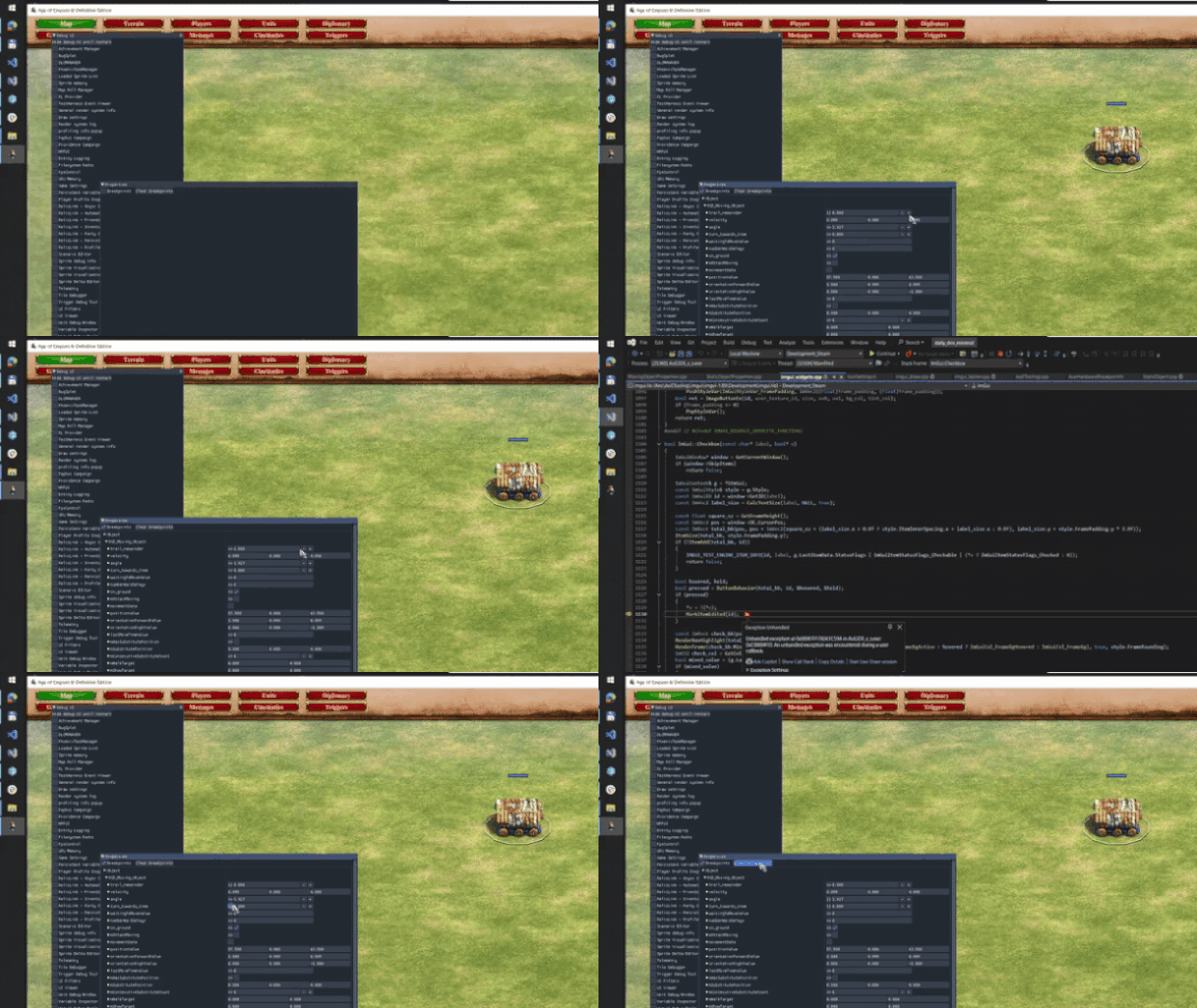
What happens in the video (this was a pitch of the technical idea to the team): in the game editor, next to each property (health, damage, etc.) an "active debug" button appears; pressing it installs a hardware breakpoint on writes to that variable. When the game logic changes the variable → the debugger stops → you can look at the call stack in Visual Studio: in the example it drops us into the attached debugger the moment variables are changed from the property editor. So while debugging various bugs you get the ability, without diving into the code, to see who changed or corrupted a variable for a specific unit and from where — and in code terms, to drive debugging programmatically for the hard cases.
 ← All articles