Sprite tool added
A new developer tool for inspecting game sprites and animations in real-time. The sprite tool provides a visual interface for browsing texture packs, viewing individual sprites, and testing animations — essential for debugging graphics issues and verifying asset loading.
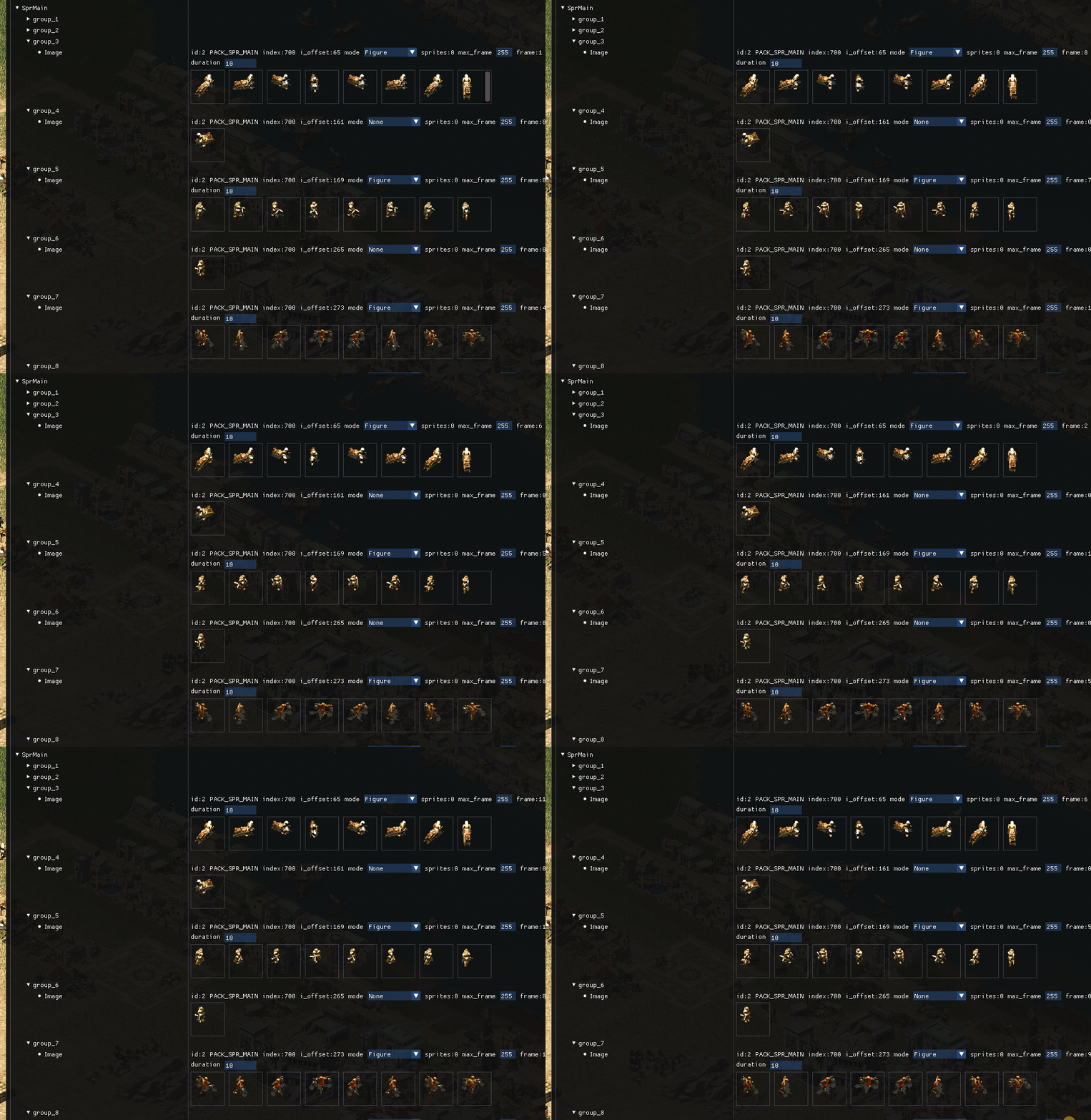
Initial Implementation
The sprite tool was developed over three days in January 2025, starting with basic infrastructure (January 8) and rapidly expanding with features. The initial commit created src/dev/sprite_tool.cpp with 64 lines of ImGui-based UI code that displayed image pack names and animation entries in a tree view.
The tool integrates with the existing imagepak_holder system, iterating through g_image_data->common to enumerate all loaded texture packs. Each pack exposes a names() list containing animation identifiers like "walk_n", "work", "base", etc.
Core Features
The sprite tool window displays a two-column table with expandable tree nodes:
- Pack browser — lists all loaded image packs (PACK_GENERAL, PACK_TERRAIN, PACK_TEMPLE_RA, etc.)
- Animation list — shows named animations within each pack
- Sprite preview — renders the selected sprite at actual size
- Pack metadata — displays pack ID, index, and entry count
Progressive Enhancements
Three rapid iterations (January 9-10) added critical functionality:
- Pack name display (commit 79d7776d5) — shows human-readable pack names instead of just IDs
- Resource investigation (commit b1b7b9c4c) — expanded the tool to ease investigating game resources, adding 29 lines of new code
- Walk animation support (commit 6874a6bf8) — added playback controls for multi-frame walk animations, the most complex addition at 33 new lines
Walk Animation System
The walk animation feature required special handling because character movement sprites consist of 8-12 frames per direction (north, east, south, west). The tool now:
- Detects animation frame counts from sprite metadata
- Provides playback controls (play/pause, frame stepping)
- Displays current frame number and total frame count
- Loops animations automatically for continuous preview
This required adding a new sprite_frame_count() helper to src/graphics/image.h to query frame metadata from the image system.
Use Cases
The sprite tool proved immediately useful for several development tasks:
- Asset verification — confirming that texture packs load correctly after config changes
- Animation debugging — identifying broken or misaligned animation frames
- Sprite ID lookup — finding the correct image ID for hardcoded references
- Pack organization — understanding which sprites belong to which packs
Technical Implementation
The tool uses ImGui's table and tree node APIs for the UI structure:
if (ImGui::BeginTable("split", 2, ImGuiTableFlags_BordersOuter | ImGuiTableFlags_Resizable)) {
    for (const auto &imgpak : g_image_data->common) {
        if (imgpak.name.empty()) continue;

        bool pack_open = ImGui::TreeNodeEx(imgpak.name, ImGuiTreeNodeFlags_DefaultOpen);
        if (pack_open) {
            // Display animations and sprites
            ImGui::TreePop();
        }
    }
    ImGui::EndTable();
}
The tool is registered with the debug console system via ANK_REGISTER_PROPS_ITERATOR(dev_sprite_tool), making it accessible through the in-game developer menu. A checkbox toggle controls visibility: ImGui::Checkbox("Sprites", &_debug_sprites_open).
Integration with Debug Console
The sprite tool follows the same pattern as other debug tools in the engine. It's invoked from src/platform/akhenaten.cpp and integrates with the widget/debug_console.h system. The two-phase rendering (header checkbox, then content window) allows the tool to be toggled on/off without losing state.
Future Enhancements
Later commits (not part of the initial January 10 release) added even more features:
- Isometric texture rendering support
- Figure animation preview
- Texture path copying to clipboard
- Support for short paks and big images
- Entry count and section length display
Result
The sprite tool significantly improved the development workflow for graphics-related tasks. What previously required manual inspection of .sg3 files or trial-and-error with image IDs can now be done visually in seconds. The tool remains one of the most frequently used debug utilities during active development.